
Why Ping Isn't Everything: Network Location & Routing 101
When choosing a game server host, most players focus on one number — ping. But what if we told you that ping only tells part of the story? From network peering to packet prioritization, this guide breaks down what actually matters when it comes to connection quality.
Smart hosting isn't just low ping—it's stable, clean, and predictable routing built on real infrastructure, optimized peering, and years of network tuning. Experience smoother gameplay, faster load times, and fewer disconnects with EUGameHost.
What Is Ping, Really?
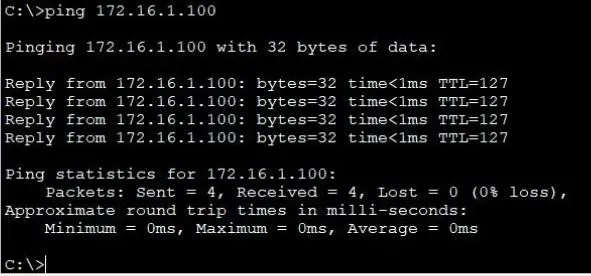
Ping measures the round-trip time (RTT) between your device and the server. It’s expressed in milliseconds (ms). While low ping is important, it only captures latency—not connection quality or consistency.
The Hidden Metrics That Matter
1. Jitter
This is the variability in latency. If your ping jumps from 30ms to 80ms to 45ms, that inconsistency is jitter—and it causes lag spikes.
2. Packet Loss
Packets that never arrive (or arrive too late) disrupt gameplay more than high ping alone. Just 5–10% packet loss can make a game feel unplayable.
3. Route Stability
If your ISP uses poor routing, your connection could take a suboptimal path—raising your ping and introducing instability.
4. Peering Agreements
This is how ISPs and data centers exchange traffic. Hosts with strong direct peering (like EUGameHost) avoid congested transit networks, reducing latency and packet loss.
Why Location Isn’t Everything Either
It’s tempting to assume a server physically close to you is always better—but that’s only true if the network path is optimized.
Example: A London-based player may have a better connection to a Frankfurt server if their ISP has direct peering to Germany but poor UK domestic routing.
What Makes EUGameHost Network-Optimized
- Strategic location with low-latency DDoS protection
- Premium upstreams selected for packet quality, not just bandwidth
How to Check Your Real Network Quality
- Run a traceroute (
tracerton Windows,tracerouteon Linux/Mac) to see each hop and delay. - Use tools like PingPlotter or MTR to visualize jitter and packet loss.
- Ask your host for test IPs and run multiple tests over time.
Summary
Ping is just one metric. Jitter, packet loss, routing, and peering all shape your in-game experience. At EUGameHost, we focus on real-world performance, not just numbers on a graph.