MySQL DB 1
One small app or a hobby project
£2.00/mo
£0.50 /mo paid yearly
excl. UK VAT
- 512MB RAM
- 0.5 Cores
- 4GB Disk NVMe
- 2 Backups
- 1 Allocation
A standalone MySQL instance on UK NVMe hardware, with an allowlist, SSL connections and automated backups. Point your application, your laptop and your game server at one database.
A remote database is only useful if getting to it is easy for you and hard for everybody else. Every connection passes the same three gates: the filtered network edge, the firewall allowlist, then per-user credentials on an encrypted session.
Scroll the diagram sideways to follow the full path
Your web server, your office, your game node. Anything else never gets as far as the MySQL handshake, so a leaked password on its own is not enough.
phpMyAdmin, MySQL Workbench, DBeaver, the mysql command line or your application driver. Nothing proprietary, and nothing to install on our side.
Daily backups are taken automatically and kept separately from the live disk, so a bad migration or a dropped table is a restore rather than a rebuild.
The point of this range is that a small database should cost small money. Pick the plan whose memory comfortably holds your working set, then grow it later on the same instance.
One small app or a hobby project
£2.00/mo
£0.50 /mo paid yearly
excl. UK VAT
A live site with modest traffic
£3.00/mo
£1.50 /mo paid yearly
excl. UK VAT
A growing store or forum
£4.00/mo
£2.00 /mo paid yearly
excl. UK VAT
A game server database
£5.00/mo
£2.50 /mo paid yearly
excl. UK VAT
Several apps against one instance
£7.50/mo
£3.50 /mo paid yearly
excl. UK VAT
A busy production database
£10.00/mo
£5.00 /mo paid yearly
excl. UK VAT
The largest working set in the range
£10.80/mo
£5.40 /mo paid yearly
excl. UK VAT
These instances are provisioned by our team rather than from a self-service cart, so ordering opens a ticket. Tell us the plan and the addresses you want allowed, and the credentials come back on the same ticket. If you need more than 8GB, or a second engine alongside MySQL, look at managed database hosting instead.
None of these is wrong, they just fail differently. The question worth asking is what happens to your data when the machine it is sitting on goes away.
| Where it lives | Who can reach it | What backs it up | Scales on its own |
|---|---|---|---|
| On your own laptop | Only you, only while it is on | Whatever you remember to copy | No |
| On the web server beside the app | Whatever reaches the app | Tied to that machine's backups | Only with the app |
| On a remote instance | Any address you allow through | Automated daily, held separately | Yes |
If the application and the database are both busy, splitting them is usually the single biggest win available: neither one is then waiting on the other's disk.
Opening port 3306 to the world and hoping the password holds is how databases get emptied. Every instance here starts closed, and you open it deliberately.
SSL connections, so credentials and result sets are not readable by anything sitting between your application and the instance.
Grants per user and per database rather than one shared root login, so a compromised application only reaches its own tables.
The instance sits behind a firewall on a DDoS-filtered network, so a flood aimed at your address is dropped upstream.
Daily backups run automatically and are retained per plan, from two copies on the entry instance to five on the largest.
Related: Managed database hosting DDoS protection UK web hosting UK VPS hosting Service level agreement
There is no proprietary driver and no wrapper API. If it can speak to MySQL it can speak to this, from whichever operating system you happen to be on.
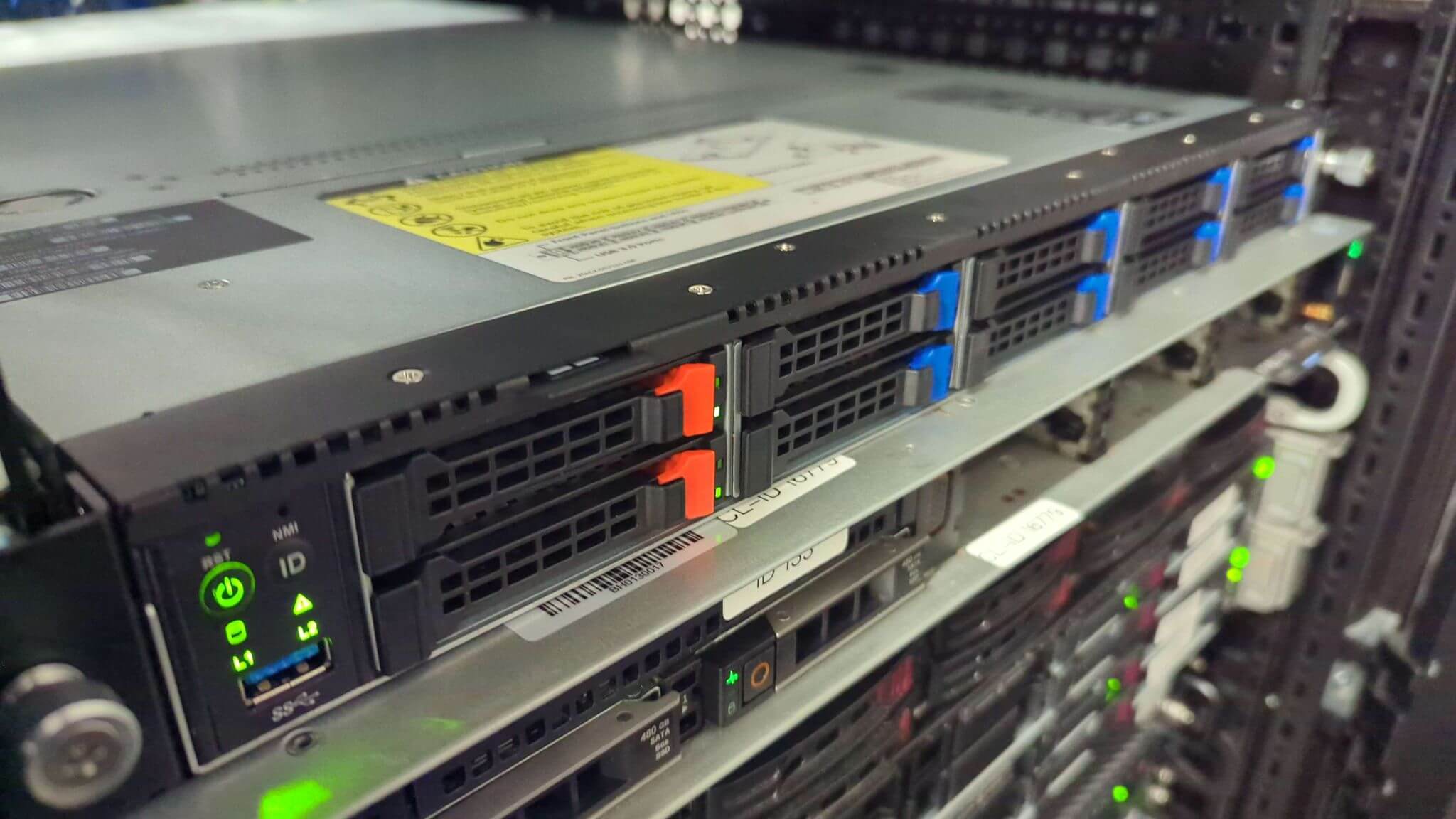 UK data centre
The database sits on hardware we built, in a building we own. That is why we can put NVMe behind a two pound instance rather than a slice of somebody else's shared pool.
UK data residency, which matters when your customers or your auditors ask where the records physically live.
Even the entry instance is on NVMe, because a database spends most of its time waiting on the disk rather than the CPU.
Patching, hardware faults and migrations are handled by the same UK team you raise the ticket with.
Remote MySQL hosting keeps your database on a server that is not your local machine or your web server, and you connect to it across the network. It suits web applications, businesses and developers who want one central copy of their data reachable from anywhere, with the security and the backups handled for them.
Connections are SSL encrypted, the instance sits behind a firewall with IP-based access control, and per-user credentials decide who can read or write what. DDoS filtering sits in front of the network, so the database is never exposed to the open internet.
One central database instead of a copy per machine, access from anywhere, room to scale CPU, memory and disk without a migration, and backups that run whether or not you remember them. It suits teams working on the same data from different places.
NVMe storage completes reads and writes far quicker than spinning disk or SATA SSD, which shows up directly in query response times and index rebuilds. On a large dataset that is the difference between a query feeling instant and feeling slow.
Yes. A single instance can hold several databases, which is convenient when you are running more than one project. Each database can have its own credentials so an application only reaches the data it owns.
Traffic is inspected and filtered before it reaches the database node, so malicious floods are dropped upstream rather than at your instance. Our network-wide mitigation capacity is 30Tbps, and there is more detail on the DDoS protection page.
Our availability commitments are published in full in our service level agreement, including how service credits are applied. We would rather point you at the document than quote an industry average at you.
A larger uplink moves result sets faster and adds less queuing delay, which matters most when an application pulls large rows or many rows at once. For single small queries the network is rarely the bottleneck; the disk usually is.
Modern AMD EPYC or Intel Xeon cores, NVMe SSD storage and a high-bandwidth uplink. MySQL is disk and memory bound long before it is CPU bound, so fast storage and enough RAM for the working set matter more than raw core count.
Yes. Ecommerce platforms, customer databases and internal systems all benefit from a database that is separate from the application server, can be scaled on its own, and is backed up independently of the machine that talks to it.
Index the columns you filter and join on, cache what you can at the application layer, keep tables tidy, and tune the MySQL configuration to the memory you actually have. NVMe storage and a working set that fits in RAM do most of the rest.
SSL encrypted connections, DDoS filtering, firewall rules, IP-based access control and automated daily backups. Access is granted per user rather than through one shared root credential.
Any standard client works: phpMyAdmin, MySQL Workbench, DBeaver, the mysql command line, or your application driver. You will need the server address, port, username, password and database name, plus your connecting IP address allowed through the firewall.
Yes. Memory, CPU and disk can be increased on the same instance, so the database keeps its address and its data while it grows. Moving up a plan does not mean moving the database.
Local means the database sits on the same machine as the application, or on your own computer. Remote means it lives on its own server and you connect across the network, which lets several machines share one copy and lets the database be sized, secured and backed up on its own.
Most of what a database does is disk work: reading pages, writing the log, rebuilding indexes. NVMe cuts the latency of each of those operations, so query times drop across the board on data-heavy workloads.
Yes. It gives a team one shared database to work against rather than a local copy each, reachable from any machine, with credentials you can hand out and revoke per person.
Automated daily backups are taken and retained according to your plan, from two copies on the entry instance up to five on the largest. If data is deleted or corrupted, we restore from the most recent good copy.
Keep MySQL patched, use strong per-user passwords and least-privilege grants, restrict the firewall to the addresses that actually need in, review your slow queries, and scale before you are out of headroom rather than after.
Export with mysqldump, copy the dump to the new instance, then import it with the mysql client. Check afterwards that permissions, character sets and firewall rules match. Our team will do the move for you if you would rather not.
Tell us the plan and the addresses that need access. We will provision it, allow them through and send the credentials back on the ticket.