How cloud server backup works in practice
Three moving parts: your production servers, your backup software and a remote backup server on separate infrastructure.
At a simple level, cloud server backup has three moving parts: your production servers, your backup software and a remote backup server in the cloud. The backup software takes copies of your files or system images, compresses and encrypts them, then sends them across the network to your backup server.
On our platform that server acts as your central backup repository. You can mount it over secure protocols, expose it as an object storage target if your software supports that, or run the backup software server side for advanced deduplication and job control.
When you need to restore, you reverse the flow. The backup server reads data from NVMe storage, reconstructs the selected version and streams it back to your new or repaired machine. Any backup platform that can write to a Linux or Windows target over a secure protocol will work.
Full, incremental and image based backups
Three backup types, and in reality most organisations use a mix of all three. The block sizes below are the point: a full copy is expensive, a change set is not.
-
Type 01
Full backups
A complete copy of the data at a point in time. Simple to understand, but heavy on storage and bandwidth.
-
Type 02
Incremental backups
Only changes since the last backup are stored. Ideal for daily or hourly schedules that keep storage usage under control.
-
Type 03
Image based backups
Full system images that make bare metal or full VM recovery much easier when a whole server is lost.
A typical pattern is a weekly full backup, daily incrementals and occasional image backups of critical systems. Our plans handle frequent incrementals efficiently thanks to fast NVMe storage and strong network throughput.
Why the offsite copy is the one that saves you
A common guideline for cloud server backup is the 3 2 1 rule. A cloud backup server fits the offsite part exactly.
Three copies of your data
The live production data plus two independent backup copies, so losing one never leaves you without a fallback.
Two different media or locations
For example a local NAS for fast restores, plus a cloud backup server on separate infrastructure.
One copy offsite
Your production data might live on local disks or another provider; the offsite copy sits on our platform in a UK data centre.
That way a single incident is far less likely to take out every copy of your data at once.
Cloud backup ready server plans
Choose a server that fits your backup footprint, then scale storage and resources as your data grows. Sorted by NVMe capacity, because that is the constraint that matters first.
| NVMe storage | Plan | Suits | CPU | RAM | Network | Price | Order |
|---|---|---|---|---|---|---|---|
| 5GB | Nano | Test cloud backup and small configs | 1 vCPU core | 512MB | 100Mbps | £0.64/mo Was £0.99. From £0.50 annually. |
Order |
| 20GB | Starter 1 | Single server or website backup | 1 vCPU core | 1GB | 1Gbps | £1.62/mo Was £2.49. From £1.25 annually. |
Order |
| 30GB | Starter 2 | Multiple sites and light backups | 1 vCPU core | 2GB | 1Gbps | £2.59/mo Was £3.99. From £2.00 annually. |
Order |
| 40GB | Starter 3 | Production cloud server backup | 2 vCPU cores | 3GB | 1Gbps | £3.24/mo Was £4.99. From £2.50 annually. |
Order |
| 60GB | Essential | Small business backup server | 2 vCPU cores | 4GB | 5Gbps | £3.89/mo Was £5.99. From £3.00 annually. |
Order |
| 120GB | Advanced | Multiple servers and databases | 4 vCPU cores | 8GB | 5Gbps | £6.49/mo Was £9.99. From £5.00 annually. |
Order |
| 180GB | Business Most popular | Cloud server backup for fleets | 6 vCPU cores | 12GB | 5Gbps | £10.39/mo Was £15.99. From £8.00 annually. |
Order |
| 240GB | Growth | Large backups and archives | 8 vCPU cores | 16GB | 5Gbps | £13.64/mo Was £20.99. From £10.50 annually. |
Order |
| 300GB | Enterprise | Enterprise cloud server backup | 10 vCPU cores | 20GB | 5Gbps | £15.59/mo Was £23.99. From £12.00 annually. |
Order |
| 300GB | Performance Best value | High speed backup and restore | 12 vCPU cores | 24GB | 5Gbps | £16.89/mo Was £25.99. From £13.00 annually. |
Order |
| 300GB | Power | Backup hub for many tenants | 16 vCPU cores | 32GB | 5Gbps | £18.85/mo Was £29.00. From £14.50 annually. |
Order |
| 600GB | Extreme | Heavy duty backup and DR | 32 vCPU cores | 64GB | 5Gbps | £38.35/mo Was £59.00. From £29.50 annually. |
Order |
Worked example: if your production data set is 80GB, a 240GB backup server gives enough room for several versions plus overhead for compression and metadata.
If you are unsure, tell us your data size, retention period and backup type and we will recommend a plan.
Built as a backup target
Use these plans as dedicated backup servers for on premise or cloud workloads, with full root access and flexible storage.
Scale as data grows
Upgrade CPU, RAM and NVMe space in minutes as your backup set increases, with no need to migrate off platform.
Offsite protection
Keep a separate copy of your data in our UK cloud, away from your production environment, for better resilience.
Everything you need for cloud server backup
Turn a single server into a full cloud backup platform. Run your preferred backup software, automate schedules and restore quickly when it matters most.
-
Automated backup schedules
Configure daily, hourly or custom backup jobs from your preferred backup platform and push data straight into your cloud backup server using secure protocols.
-
Image and file level backups
Support for both full server images and granular file level backups. Protect entire machines or just critical folders and databases, depending on your strategy.
-
Fast ingest and restore
10 Gbps networking on our core infrastructure means faster backup windows and quicker restores when disaster strikes or you need to roll back changes.
-
Encryption friendly
Run end to end encryption from your backup software so data is encrypted before it leaves your environment and remains protected on your backup server.
-
Compatible with major platforms
Use your backup server as a target for Veeam, Acronis, Borg, Restic, Rsync, Duplicati and many other backup solutions that support Linux or Windows.
-
Flexible architecture
Build a single tenant backup server for your own business, or a multi tenant backup platform for clients using separate storage paths, accounts and encryption keys.
-
Disaster recovery ready
Combine cloud server backup with additional VPS or dedicated servers to create a disaster recovery environment for critical workloads and failover scenarios.
-
Monitoring and alerts
Use built in monitoring to watch CPU, RAM and disk, plus integrate your own backup job alerts so you know immediately when a backup fails or runs slowly.
-
Isolated backup environment
Keep backups on a separate server with its own firewall rules and access controls, so ransomware and compromise in production are less likely to reach backup data.
The infrastructure behind your backup copies
Cloud backup is only as good as the infrastructure holding it. Every backup server runs on performance tuned hardware in UK facilities.
NVMe SSD
Better performance for busy repositories, so incremental backups and integrity checks finish faster than on spinning disk alone.
Backbone per node
Premium transit and peering, which is what keeps backup windows short when you need to shift a large amount of data.
Isolated and filtered
Its own firewall rules, its own access controls and always on DDoS mitigation, so a compromise in production does not walk into your backups.
Platform detail
- CPU optimised for
- Backup ingestion and restore
- CPU workload profile
- Encryption and compression
- Node policy
- No aggressive overselling
- Storage media
- NVMe SSD
- Storage suits
- Frequent incremental backups
- Growth path
- Upgrade storage or move to dedicated
- Network backbone
- 10 Gbps per node
- Network use case
- Fast backup windows
- Protection
- Always on DDoS mitigation
- Access control
- Firewall control and SSH
- Location
- UK data centres
- Support
- 24/7 UK team
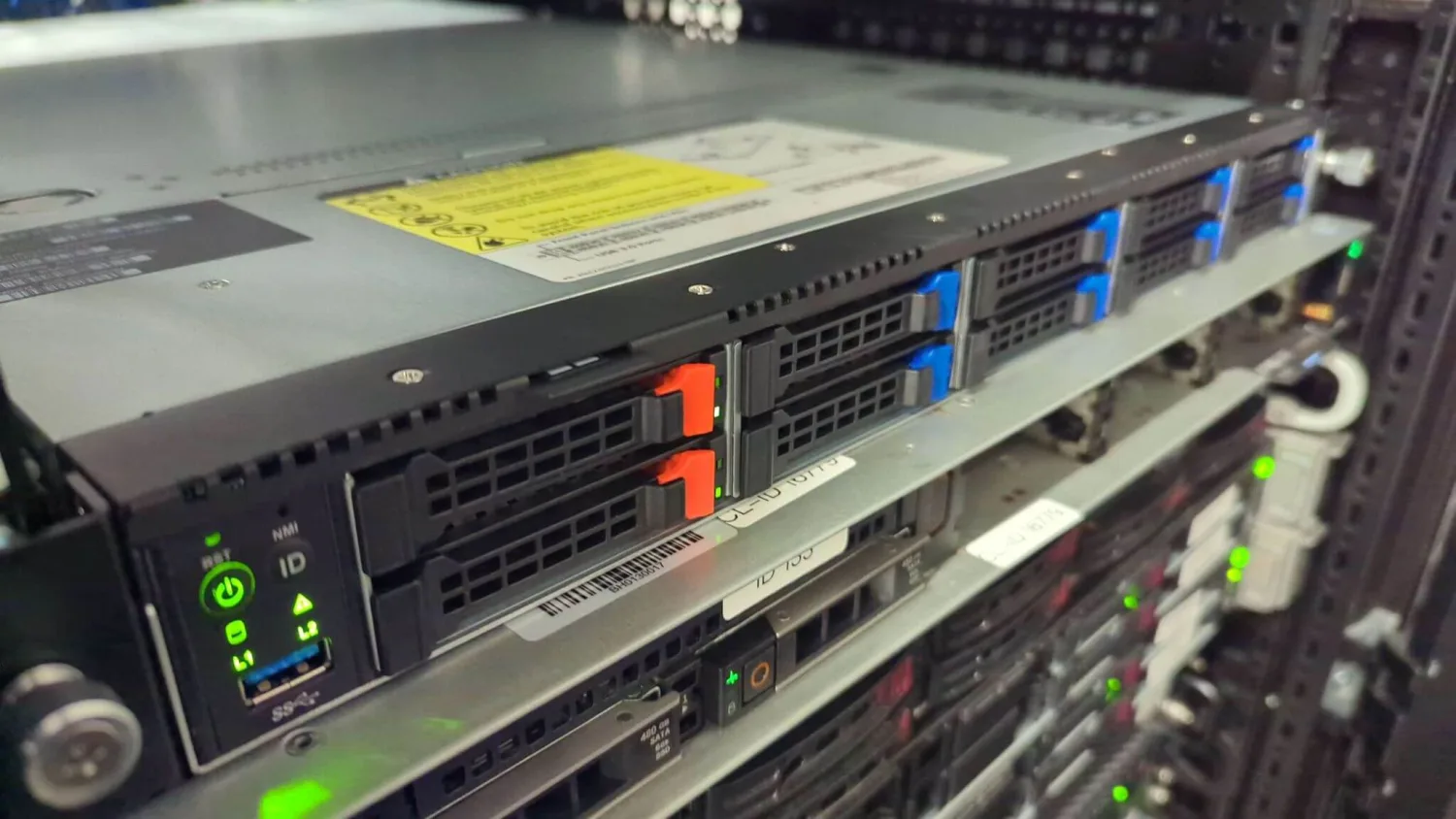 Your offsite copy lives here
Somewhere else, on somebody else's power feed
That is the whole job of an offsite copy. Different building, different network, different credentials, on hardware we own and operate in UK facilities.
-
Separate infrastructure
Not another disk in the same chassis and not another VM on the same host as production.
-
Kept in the UK
Backups stay within UK data centres, which is what compliance driven retention policies usually require.
-
People who answer at 3am
A restore is rarely convenient. The UK team is there when the restore matters, not just when the sale does.
Cloud server backup for real world use cases
Whether you manage a single production server or a fleet of machines, centralising backups in the cloud is the same job at different scale.
-
On premise server backup
Install backup agents on your on premise Windows or Linux servers and push data to a cloud backup server for offsite copies that are separate from your main network.
- Physical servers
- Offsite backup
-
Backing up cloud servers
Use our platform as a neutral backup location for instances hosted with other providers. Avoid single vendor risk by storing backup data on independent infrastructure.
- Multi cloud
- Vendor risk
-
Database and application backup
Schedule database dumps or application level backups and ship them to your backup server on a regular schedule using secure protocols and automation.
- MySQL
- PostgreSQL
-
Managed service providers
MSPs can run centralised backup repositories for multiple clients, hosted on our VPS or dedicated servers, with clear separation between customer data sets.
- MSP
- Multi tenant
-
Compliance driven backups
Keep backups within UK data centres to support compliance and data residency requirements, while maintaining multiple restore points and longer retention.
- GDPR
- Retention
-
Disaster recovery planning
Use cloud server backup as part of a broader disaster recovery plan where critical services can be restored onto standby VPS or dedicated hardware if production fails.
- DR
- Business continuity
Designing a backup plan that actually restores
-
Step 01
Choose a plan with headroom
Enough NVMe for your initial backup plus growth and multiple restore points, not just today's data set.
-
Step 02
Install your backup software
Run it on the backup server, or configure the server as a repository or storage target if the software runs elsewhere.
-
Step 03
Define retention
Balance storage cost against recovery options. For example 30 daily restore points and 6 monthly archives.
-
Step 04
Enable encryption in transit and at rest
Encrypt before data leaves your environment so it is protected end to end, not just on the wire.
-
Step 05
Test restores regularly
A backup you have never restored is a hypothesis. Prove it works before you need it.
-
Step 06
Review as you grow
Start small on a lower tier and scale up as the backup set grows, or move heavy workloads to dedicated backup servers.
Common mistakes worth avoiding
Even experienced teams make predictable mistakes with cloud server backup. Avoid these four and you are already ahead of most:
- No restore testing. Backups exist but have never been tested, so failures only surface during an incident.
- Backups in the same environment. Backup data stored on the same host or network segment as production, which defeats the point when ransomware hits.
- Underestimating retention. Too few restore points to roll back far enough when a problem is discovered late.
- Ignoring bandwidth. Overscheduling large backups without enough network capacity, leading to failed or incomplete jobs.
Running cloud server backup on a dedicated server with its own resources and external connectivity solves most of these by design. You get separation from production plus enough performance headroom to keep backup windows realistic.
When to move from a VPS target to dedicated hardware
VPS based cloud server backup is the best starting point for most small and mid sized environments. There are clear signals that it is time to move heavy backup workloads onto dedicated backup servers:
- Backup windows are consistently overrunning, even after tuning.
- Data volume is growing into multiple terabytes and you want cheaper storage per gigabyte.
- You need very tight Recovery Time Objectives that justify dedicated hardware.
At that point you can either pair several backup repositories or step up to a dedicated server on our platform, keeping the same cloud based approach while gaining more native disk capacity. Our team can help design that upgrade path.