7 Days to Die Server Hosting
7 Days to Die Server Hosting zum Überleben gebaut.
Starte deinen 7D2D Server in 60 Sekunden: 2.0-ready
- Sofortige Einrichtung
- Permanenter DDoS-Schutz
- Tägliche Backups
- Mod-Installation
- Serverkonfiguration
- Backups & Saves
Check your connection
Compare latency to our locations


Measured live from your browser
Ein niedrigerer Ping bedeutet flüssigeres, reaktionsschnelleres Survival für jeden Spieler.
Wähle deinen 7D2D Server.
Jeder Plan enthält volle 2.0-Unterstützung, Overhaul-Mods per Klick, tägliche Backups, vollen FTP/SFTP-Zugriff, permanenten DDoS-Schutz und unser Control Panel: jederzeit hoch- oder herunterskalierbar.
Pro
Wachsende, modifizierte Community
Ultra
Großer Overhaul / anspruchsvolles Modpack
Wir sind ausgezeichnet bewertet.
Bewertet mit 4,8 / 5 von 500+ Server-Betreibern auf Trustpilot.


One of the best providers
Changing to EUGameHost was one of the best decisions I've made. I now run a dedicated server and two game servers. The team is amazing, knowledgeable and personal. No bots.
The best out there
I've tried a lot of game server hosts over the years and after a year with EUGameHost they're one of the best, especially the support. Loads of RAM where most hosts charge a fortune to upgrade.
Amazing customer service
Had an issue with my server and got a response very quickly. Once we confirmed it, the fix was applied immediately and I was given extra time for free. 100% recommend.
Rock steady through DDoS attacks
Switched our server over from a previous host after server-killing DDoS attacks. Haven't had a single issue since and the servers are rock steady.
Best host out there
Really good host, very good server and a very patient team, always there to help with quick ticket responses. Extremely happy with their work.
Fantastic price for the hardware
Use this to host a game server: absolutely fantastic price for the hardware available. Had one small issue and got a human response in under 2 minutes. Can't complain.
Speziell gebaut für 7D2D Survival-Server.
Overhaul-Mods, Prefabs, Configs und eine Live-Konsole: alles, was du brauchst, um eine Darkness-Falls-, War3zuk- oder Vanilla-Survival-Community zu betreiben, ohne gegen den Server zu kämpfen.
Overhaul-Mods
- Darkness Falls per Klick installieren
- Undead Legacy & War of the Walkers
- Ravenhearst & War3zuk bereit
- Beliebiges eigenes Modpack frei hochladen
Welt & Konfiguration
- serverconfig.xml sicher bearbeiten
- XP-Raten & Loot-Tabellen anpassen
- Blutmond- & Horden-Einstellungen anpassen
- Eigene Prefabs & Modlets unterstützt
Daten & Saves
- Kostenlose MySQL-Datenbank inklusive
- Tägliche automatische Backups
- Snapshot-Wiederherstellung per Klick
- Voller FTP-/SFTP-Zugriff auf Dateiebene
Zuverlässigkeit
- Permanenter Layer-3/4/7-DDoS-Schutz
- Nie null-geroutet bei Angriffen
- Standorte UK (London) & US (Dallas)
- 24/7 UK-basierter 7D2D-Support
Vertraut von 500+ Game-Server-Betreibern.
Volle Kontrolle über deinen Survival-Server.
Verwalte Mods, Welteinstellungen, Saves und Serverkonfiguration von einem leistungsstarken Panel aus: wechsle zwischen den Funktionen unten, um zu sehen, wie einfach 7D2D-Serveradministration wirklich ist.
7D2D Pläne ansehen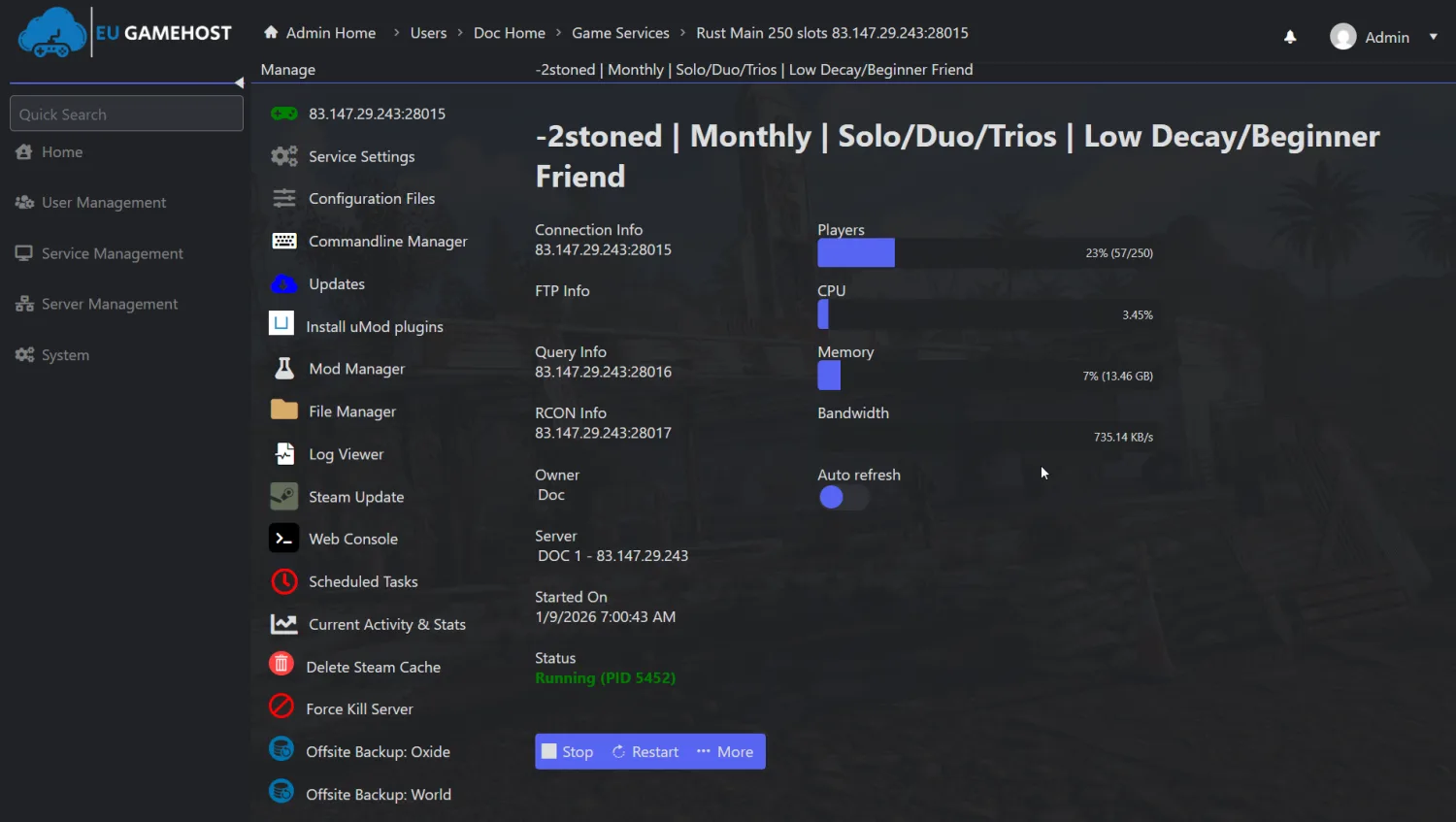 Live-Server-Konsole
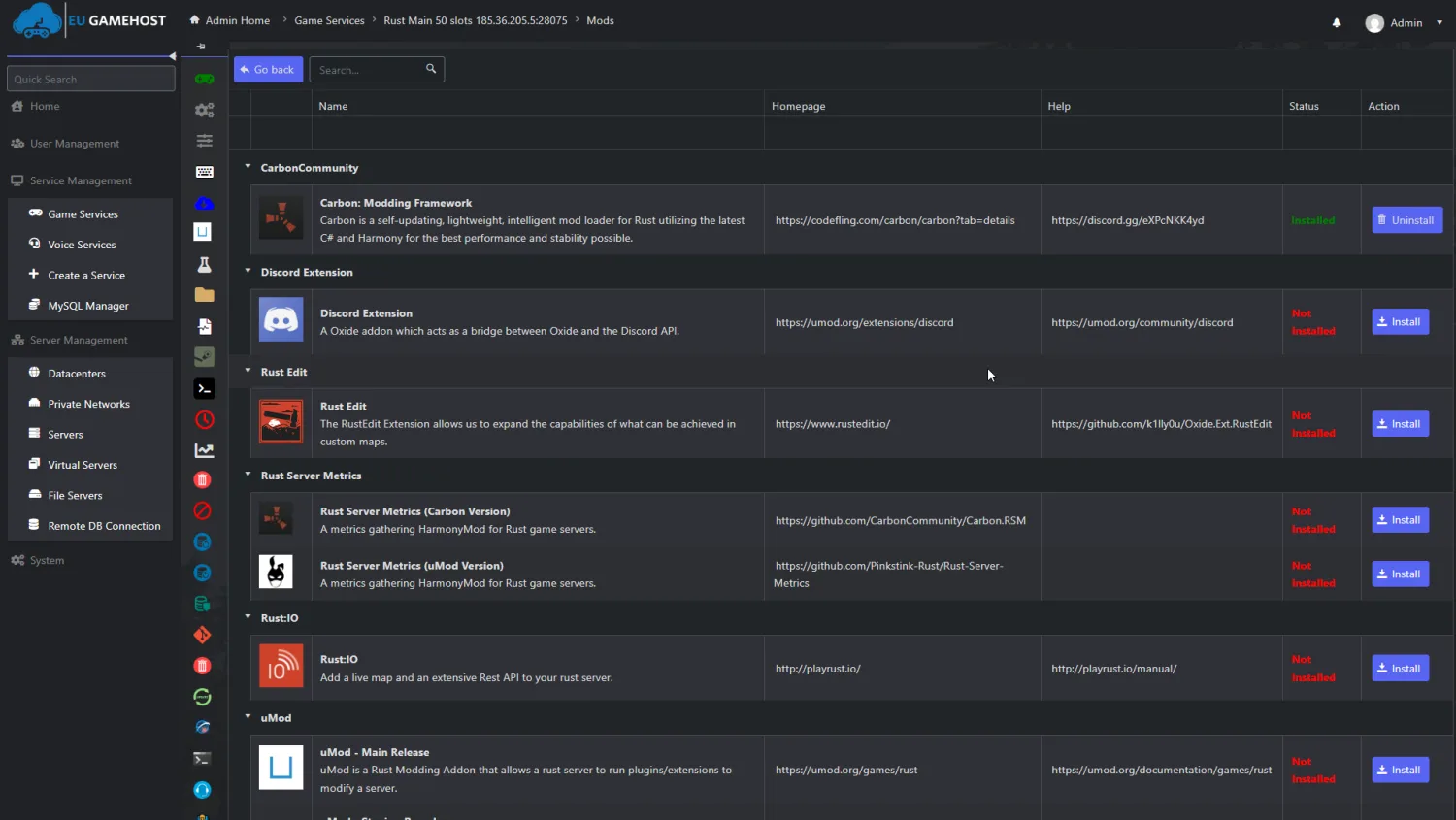 Alle Overhauls unterstützt
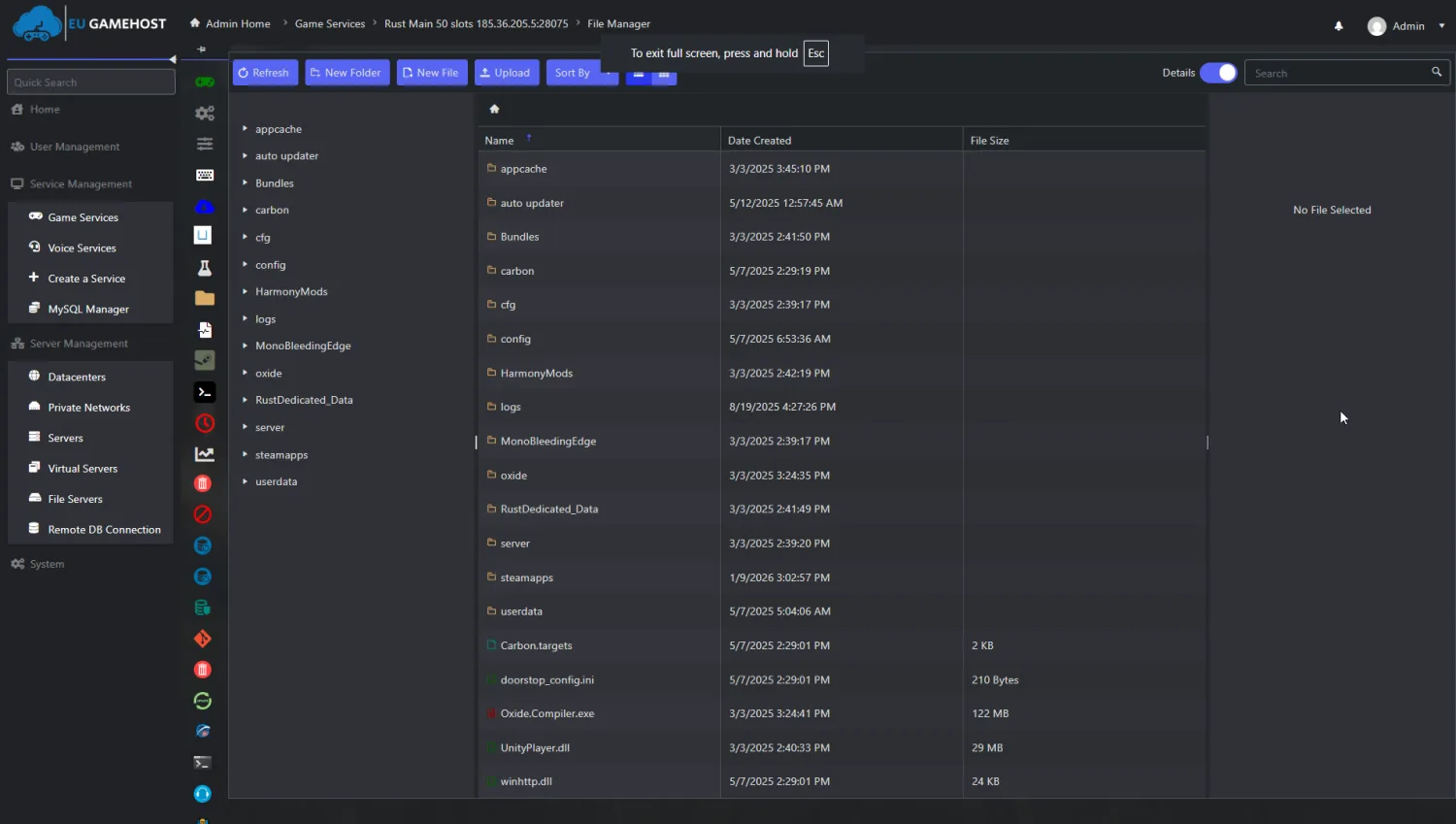 Vollständige Dateikontrolle
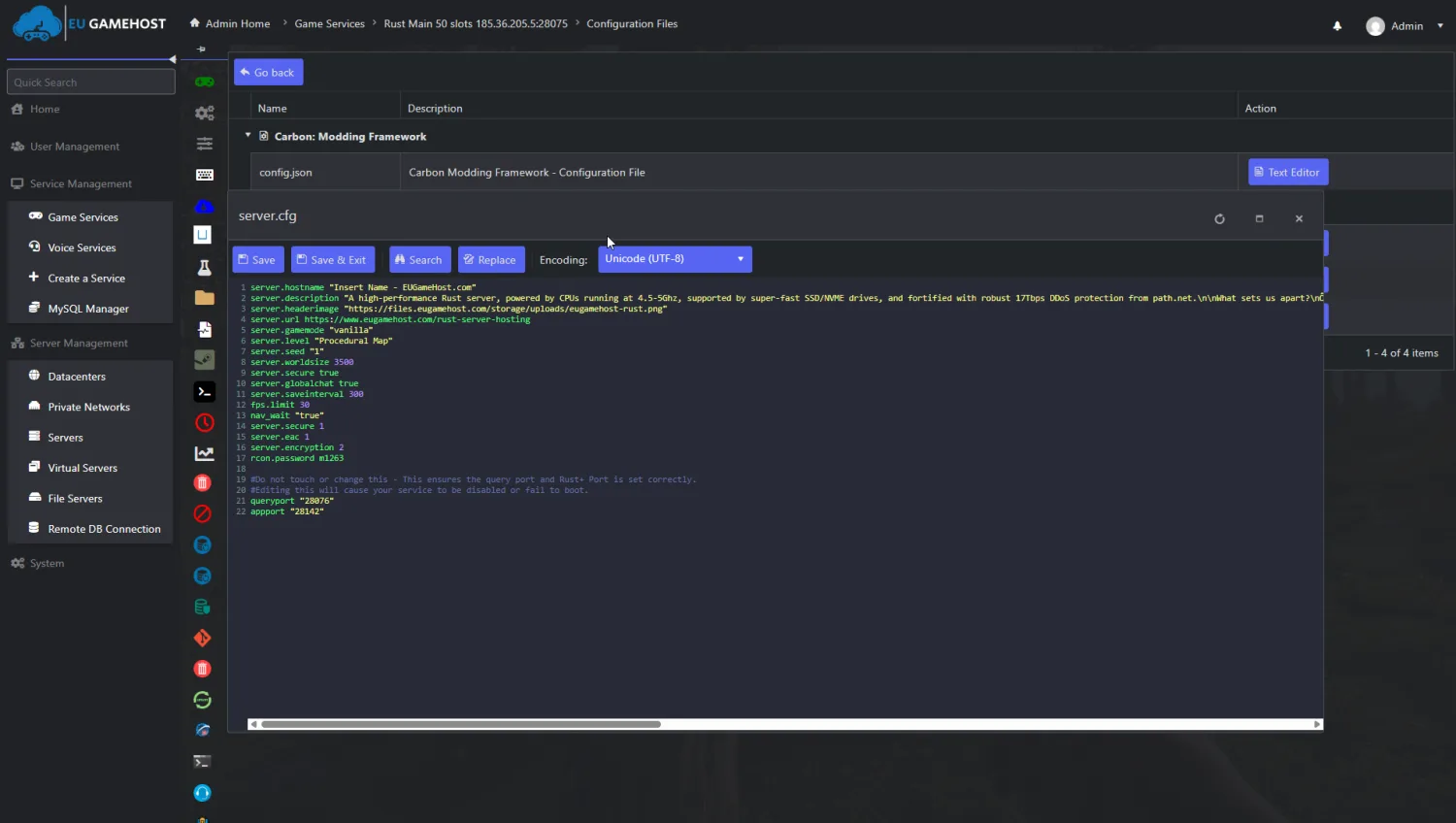 Einfache Konfiguration
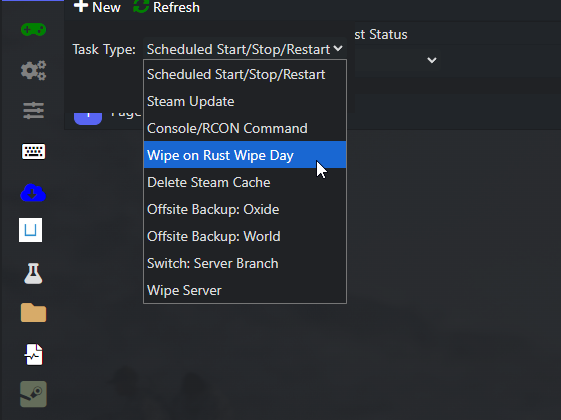 Tägliche Backups inklusive
Gebaut für flüssige Blutmond-Nächte.
7 Days to Die fordert schwache Hardware gnadenlos heraus, sobald bei einem vollen Server die Horde einsetzt: echte Hardware für echte Ergebnisse im Spiel.
Ryzen 9 7950X
Hohe Single-Thread-Taktrate
10-Gbps-Verbindung
Latenzarmes Netzwerk
NVMe SSD
Lesen & Schreiben
Was das für deinen 7 Days to Die Server bedeutet
EUGameHost-Hardware, und der Rest
| Hardware | Standard | Extreme Beste | Typischer Host |
|---|---|---|---|
| CPU | Intel Xeon @ 3,8GHz+ | Ryzen 9 7950X @ 5,8GHz · dedizierte Kerne | Niedrig getaktet / überbucht |
| Arbeitsspeicher | DDR4 3200MHz | DDR5 5600MHz | Geteiltes DDR4 |
| Speicher | NVMe 4.0 SSD | NVMe 5.0 SSD | SATA-SSD oder HDD |
| Netzwerk | 10 Gbps | 10 Gbps | 1 Gbps geteilt |
| DDoS-Schutz | Permanent · Layer 3/4/7 | Permanent · Layer 3/4/7 | Null-geroutet bei Angriffen |
| Overhaul-Mods | Darkness Falls / Undead Legacy / War3zuk bereit | Darkness Falls / Undead Legacy / War3zuk bereit | Probleme unter Last |
| Tägliche Backups | Inklusive | Inklusive | Oft gegen Aufpreis |
| Einrichtungszeit | ~60 Sekunden | ~60 Sekunden | Manuell / Warteschlange |
Im Vergleich zu einem typischen Budget-7-Days-to-Die-Host: Details variieren je nach Anbieter und Plan.
Weniger Ping. Flüssigeres Survival.
Unser privates Backbone und intelligentes Routing halten deinen 7 Days to Die Server reaktionsschnell für Spieler in UK, der EU und darüber hinaus.

- Point of Presence
- Edge-Metro
- Private Glasfaserstrecke
Alles, was du brauchst, um einen besseren Survival-Server zu betreiben.
CPU-optimierte Hardware, echter DDoS-Schutz und ein Panel, gebaut für 7D2D-Admins, ohne Premium-Preis.
Sofortige Einrichtung
Vom Checkout zum laufenden 7 Days to Die Server in unter 60 Sekunden: dein Server wird automatisch bereitgestellt und deine Zugangsdaten kommen sofort.
CPU-optimierte Leistung
Hochgetaktete Ryzen- und Xeon-CPUs, schneller Arbeitsspeicher und Gen-4-NVMe-SSDs halten die Server-FPS auch bei anspruchsvollen Overhaul-Mods bei vollem Blutmond stabil.
Permanenter DDoS-Schutz
Layer-3-, 4- und 7-Abwehr mit Anycast-Routing hält deinen Survival-Server auch während Angriffen online, nie null-geroutet, nichts zu konfigurieren.
24/7 7D2D-Support
Echte, UK-basierte Mitarbeiter, die Overhaul-Mods, Prefabs und serverconfig.xml verstehen: schnelle Antworten per Ticket oder Discord, Tag und Nacht.
Volle Mod-Unterstützung
Installiere Darkness Falls, Undead Legacy, War of the Walkers, Ravenhearst oder War3zuk mit einem Klick und lade jederzeit ein beliebiges eigenes Modpack hoch.
Vollständiges Control Panel
Verwalte serverconfig.xml, die Live-Konsole, Mods, MySQL-Datenbanken, tägliche Backups und Dateien von einem leistungsstarken Panel aus, das du wirklich kontrollierst.
Das ist 7 Days to Die.
Ein Blick auf Koop-Survival und Blutmond-Horden, und dann baue deinen eigenen Server in unter einer Minute.
Teste uns risikofrei mit 48-Stunden-Geld-zurück-Garantie.
Starte deinen 7 Days to Die Server und stell uns auf die Probe: passt es innerhalb der ersten 48 Stunden nicht, kontaktiere den Support für eine volle Rückerstattung. Keine Verträge, jederzeit kündbar.
7 Days to Die Server Hosting Fragen, beantwortet.
Ja. Unser 7 Days to Die Hosting unterstützt den aktuellen 2.0-Release vollständig und wird laufend mit neuen Spiel-Updates aktuell gehalten. Dein Server ist bereit für die neuesten Features, Biome und Balance-Änderungen, sobald sie erscheinen: ganz ohne manuelles Patchen.
Dein 7 Days to Die Server wird automatisch bereitgestellt, sobald deine Bestellung abgeschlossen ist, und ist in der Regel innerhalb von 60 Sekunden online, mit vollem Zugriff auf das Control Panel. Du erhältst deine Zugangsdaten sofort und kannst direkt mit der Konfiguration deiner Welt beginnen.
Du kannst jeden großen Overhaul nutzen, darunter Darkness Falls, Undead Legacy, War of the Walkers, Ravenhearst und War3zuk, sowie jeden eigenen Mod, den du hochlädst. Mit vollem FTP/SFTP-Zugriff und Installation per Klick gibt es keine Einschränkungen: wechsle den Overhaul oder nutze ein eigenes Modpack, wann immer du willst.
Ja. Du erhältst vollen FTP/SFTP-Zugriff und komplette Kontrolle auf Dateiebene, sodass du beliebige Mods, Prefabs, XML-Configs und Modlets ohne Einschränkung hochladen kannst. Bearbeite serverconfig.xml, passe Loot-Tabellen, XP-Raten und Blutmond-Einstellungen direkt im Panel oder per FTP-Client an.
7 Days to Die fordert die Hardware, sobald bei einem vollen Server der Blutmond einsetzt. Deshalb setzen wir auf hochgetaktete Intel Xeon und AMD Ryzen 9 7950X Prozessoren in Kombination mit Gen-4-NVMe-SSD-Speicher und großzügigem DDR4/DDR5-Arbeitsspeicher. So bleibt die Weltgenerierung schnell und Zombiehorden laufen selbst bei anspruchsvollen Overhaul-Modpacks flüssig.
Ja. Jeder 7 Days to Die Server verfügt über permanenten DDoS-Schutz mit Layer-3-, 4- und 7-Filterung sowie Anycast-Routing, speziell für Game-Traffic und UDP-Floods ausgelegt. Dein Server bleibt auch während der Horde online und wird bei einem Angriff niemals null-geroutet.
Ja. Du kannst deinen 7 Days to Die Plan jederzeit über das Control Panel upgraden oder downgraden, ohne Saves, Weltfortschritt oder Mod-Setups zu verlieren. Füge vor einem großen Event mehr Slots, Speicher oder Leistung hinzu und reduziere danach ohne Nachteile wieder.
Die Kapazität hängt von deinem Plan, dem gewählten Overhaul-Mod und dem Umfang der Modifikationen deiner Welt ab. Unsere Pläne sind für etwa 10, 30 und bis zu 70 Spieler ausgelegt, und die tatsächliche Performance hängt von CPU-Taktrate, RAM und der Anspruchshöhe deines Modpacks ab.
Ja. Wir erstellen tägliche Backups deiner Welt, Configs und Speicherdaten, und du kannst jeden Snapshot mit einem Klick sofort über dein Panel wiederherstellen. Dein Survival-Fortschritt ist geschützt, egal was im Spiel passiert.
Ja. Wir bieten eine kostenlose Migration: schicke uns deine Welt- und Speicherdateien, und wir übertragen alles, damit dein Mod-Setup einwandfrei funktioniert. Mit vollem FTP/SFTP-Zugriff kannst du deine Saves, Configs und Modlets jederzeit auch selbst verschieben.
Wir hosten 7 Days to Die in Großbritannien (London) und den USA (Dallas) mit optimiertem Routing für europäische und nordamerikanische Spieler. Führe unseren Live-Latenztest oben auf dieser Seite durch, bevor du kaufst, um deinen echten Ping zu jedem Standort zu prüfen, und wechsle die Region später ohne Ausfallzeit.
Kostenloses oder sehr günstiges 7 Days to Die Hosting läuft fast immer auf niedrig getakteten, überbuchten CPUs, die genau dann ruckeln, wenn bei einem vollen, modifizierten Server der Blutmond einsetzt. Unser 7D2D-Hosting startet bei £4.50/Monat für CPU-optimierte Hardware, Gen-4-NVMe-Speicher, ein 10-Gbps-Netzwerk, tägliche Backups und echten permanenten DDoS-Schutz, der eine ernsthafte Survival-Community online hält.
Worauf du bei einem 7 Days to Die Host achten solltest
Nicht jeder 7 Days to Die Host ist gleich aufgebaut: hier erfährst du, worauf es bei der Wahl deines Survival-Servers wirklich ankommt, und wie EUGameHost bei jedem Punkt liefert.
| Worauf achten | Warum es für 7D2D wichtig ist | EUGameHost |
|---|---|---|
| Hochfrequente CPU | 7 Days to Die verlässt sich stark auf die CPU-Taktrate, besonders während der Weltgenerierung und bei Blutmond-Horden, sodass die reine Pro-Kern-Leistung darüber entscheidet, wie flüssig ein voller, modifizierter Server läuft. | Unsere Hardware läuft standardmäßig mit hochgetakteten Intel-Xeon-CPUs, mit AMD Ryzen 9 7950X als Option, genau die Taktrate, die 7D2D braucht, wenn eine Horde angreift. |
| Keine Überbuchung | Überbuchte Nodes teilen eine CPU auf viel zu viele Server auf, was zu Rucklern und Lag-Spitzen führt, die einen Blutmond ruinieren, sobald mehrere Server gleichzeitig ausgelastet sind. | Wir dimensionieren die Kapazität passend zur Hardware und überbuchen nie: dein Plan erhält genau die CPU und den Speicher, mit denen er verkauft wird. |
| NVMe-Speicher | 7 Days to Die Welten mit großen Overhaul-Mods wie Darkness Falls oder War3zuk können erheblich anwachsen, und langsame Festplatten führen zu langen Ladezeiten und ruckeligem Chunk-Streaming. | Jeder Plan läuft auf Gen-4-NVMe-SSD-Speicher für schnelle Weltgenerierung, zügiges Chunk-Laden und flüssiges Mod-Streaming. |
| Permanenter DDoS-Schutz | Survival-Server sind häufige Angriffsziele, und Budget-Hosts routen bei einem Angriff oft null, und nehmen damit deine gesamte Community offline. | Permanenter Layer-3/4/7-DDoS-Schutz mit Anycast-Routing ist bei jedem Server inklusive, und wir routen bei einem Angriff niemals null. |
| Volle Mod-Freiheit | Manche Hosts schränken ein, welche Overhaul-Mods du nutzen kannst, oder verlangen Gebühren für den Wechsel: das fesselt eine wachsende Community an eine frühe Entscheidung. | Darkness Falls, Undead Legacy, War of the Walkers, Ravenhearst und War3zuk per Klick sowie voller Dateizugriff bedeuten, dass du jederzeit kostenlos zu jedem Modpack wechseln kannst. |
| Tägliche Backups | Ein beschädigter Save oder ein missglücktes Mod-Update kann wochenlangen Survival-Fortschritt zunichtemachen, daher sind zuverlässige, automatische Backups unverzichtbar. | Tägliche automatische Backups deiner Welt, Configs und Saves sind inklusive, mit Snapshot-Wiederherstellung per Klick über dein Panel. |
| MySQL-Datenbanken | Fortgeschrittene Plugins und manche Overhaul-Mods setzen auf eine Datenbank, daher ist solide MySQL-Unterstützung für einen ernsthaften modifizierten Server wichtig. | Eine kostenlose MySQL-Datenbank ist bei jedem Server inklusive, mit vollem Zugriff für fortgeschrittene Plugins und Mods. |
| UK- + US-Standorte (Latenz) | Niedriger Ping hält Koop-Bauen, Plündern und Kämpfe reaktionsschnell; der richtige Standort für deine Spieler macht einen spürbaren Unterschied. | Wähle London (UK) oder Dallas (US), um deinen Server nah an deiner Community zu platzieren, und teste deinen echten Ping vor dem Kauf. |
| Echter 24/7-Support | 7 Days to Die Probleme halten sich nicht an Bürozeiten: ein kaputtes Modpack oder ein ausgefallener Server um 2 Uhr nachts braucht eine echte Person, die das Spiel kennt. | Echter 24/7 UK-basierter Support, der Overhaul-Mods und serverconfig.xml versteht, gestützt auf eine 4,8/5-Trustpilot-Bewertung aus über 500 Rezensionen. |
| Kein Vertrag / jederzeit kündbar | Das Community-Interesse schwankt, daher ist eine lange Vertragsbindung ein unnötiges Risiko. | Niemals Verträge: zahle nach Bedarf, skaliere vor einem großen Event hoch und kündige, wann immer du willst. |
Der komplette Guide zum 7 Days to Die Server Hosting
Einen 7 Days to Die Server zu mieten gibt dir volle Kontrolle über deine eigene Survival-Welt (Overhaul-Mods, Prefabs, Configs und Saves) ohne anspruchsvolle Hardware zu Hause zu betreiben. Dieser Guide erklärt alles Wichtige zum 7 Days to Die Server Hosting: wie es funktioniert, zwischen welchen Overhaul-Mods du wählen kannst, welche Hardware 7D2D fordert, was es kostet und wie du einen Host findest, der deinen Server auch beim Blutmond flüssig hält.
7 Days to Die ist ein Koop-Survival-Horror-Spiel, in dem Spieler plündern, bauen und sich gegen immer größere Zombiehorden verschanzen, die in den brutalen Blutmond-Nächten jeden siebten Tag ihren Höhepunkt finden. 7 Days to Die Server Hosting ist ein Service, der eine dedizierte Instanz des 7D2D-Servers auf verwalteter Hardware betreibt, sodass deine Freunde oder deine Community sich rund um die Uhr mit deinen gewählten Mods, Einstellungen und Saves mit einer dauerhaften Welt verbinden können.
EUGameHost bietet Premium-UK- und -US-Hosting für 7 Days to Die mit voller 2.0-Unterstützung, einem Control Panel, Live-Web-Konsole, Dateimanager, Konfigurationseditor, täglichen Backups und Overhaul-Mod-Installation per Klick, sodass du in Minuten vom Checkout zu einem laufenden, modbereiten Survival-Server kommst. Mit einer Trustpilot-Bewertung von 4,8 von 5 aus mehr als 500 Rezensionen ist das ein Setup für Überlebende, die wollen, dass sich ihr Server so poliert anfühlt wie die Welt, die sie darin bauen.
Ein Großteil des langfristigen Wiederspielwerts von 7 Days to Die stammt von seinen Overhaul-Mods: Totalkonversionen, die neue Klassen, Waffen, Zombies, Crafting-Systeme und Schwierigkeitsgrade hinzufügen. Am häufigsten begegnest du Darkness Falls, Undead Legacy, War of the Walkers, Ravenhearst und War3zuk, und deine Wahl prägt, wie sich dein gesamtes Survival-Erlebnis spielt.
EUGameHost lässt dich diese Overhauls mit einem Klick installieren und jederzeit wechseln, sodass du nie an eine Entscheidung vom ersten Tag gebunden bist. Mit vollem Zugriff auf Dateiebene kannst du außerdem eigene Modpacks oder eigene Modlets hochladen: ein Server, der vanilla startet, kann zu Darkness Falls wechseln, sobald deine Community wächst, ohne an die Einschränkungen eines Hosts gebunden zu sein.
Darkness Falls
Darkness Falls ist der beliebteste 7 Days to Die Overhaul und fügt neue Klassen, Titan- und Laserwaffen, härtere Zombies, tieferes Crafting und eine längere Progressionskurve hinzu. Er fordert die Hardware, weshalb EUGameHost seine Server speziell für anspruchsvolle Overhauls wie DF mit Installation per Klick und automatischen Updates abstimmt.
War3zuk
War3zuk vereint neue Waffen, Fähigkeiten, Fahrzeuge und komplette Systemüberarbeitungen zu einem gewaltigen Gameplay-Upgrade. EUGameHost unterstützt War3zuk vollständig mit Installation per Klick, automatischen Updates und Servern, die für seinen erweiterten Umfang und die höhere Last optimiert sind, kein manuelles Setup nötig.
Undead Legacy, War of the Walkers & Ravenhearst
Undead Legacy setzt auf Realismus und ein überarbeitetes Inventar- und Crafting-System, War of the Walkers erweitert das Grundspiel um neue Inhalte und Biome, und Ravenhearst dreht Schwierigkeit und Tiefe deutlich auf. Alle lassen sich auf unserer Plattform per Klick installieren, und du kannst jeden davon oder dein eigenes Modpack mit voller Kompatibilität betreiben.
Self-Hosting von 7 Days to Die vom heimischen PC klingt auf dem Papier günstiger, ist es aber selten, wenn man die Realität einbezieht. 7D2D ist ein anspruchsvoller, CPU-lastiger Server, und der lokale Betrieb blockiert deinen eigenen Rechner, setzt deine private IP-Adresse und Bandbreite Angriffen aus und legt deinen Server bei jeder Störung von Strom, Internet oder PC lahm. Eine private Internetverbindung hat weder die Bandbreite noch den DDoS-Schutz, um die Angriffe zu überstehen, die Survival-Server anziehen.
Einen dedizierten 7 Days to Die Server zu mieten löst all das. EUGameHost bietet auf jedem Plan kostenlosen, permanenten DDoS-Schutz, ein 10-Gbps-Netzwerk, vollen FTP/SFTP-Zugriff für tiefgehende Mod-Anpassungen, eine kostenlose MySQL-Datenbank, tägliche Backups und 24/7-Support, wenn ein Mensch gebraucht wird. Ohne Verträge kannst du jederzeit kündigen, sodass Mieten keines der langfristigen Risiken von Kauf und Wartung eigener Hardware trägt.
7 Days to Die zählt zu den CPU-empfindlicheren Survival-Servern, und der Grund liegt in der Simulation: Zombie-Pathfinding, Weltgenerierung und die Physik einer zerstörbaren Voxel-Welt belasten den Prozessor stark. Das bedeutet, dass die CPU-Taktrate, nicht die reine Kernzahl, deine Server-FPS bestimmt, und die Server-FPS entscheiden darüber, wie flüssig sich Bauen, Plündern und Kämpfe für jeden verbundenen Spieler anfühlen.
Der Belastungspunkt ist der Blutmond auf einem vollen, modifizierten Server. Wenn eine Horde Zombies sich zu einer voll besetzten Basis den Weg bahnt, dazu ein schwerer Overhaul wie Darkness Falls läuft, schnellt die Simulationslast nach oben, und eine niedrig getaktete oder überbuchte CPU sieht ihre Server-FPS einbrechen: das erzeugt das Rubber-Banding und Ruckeln, das Spieler vertreibt. Eine starke CPU, schneller Speicher und zügiger Storage halten die Leistung genau dann stabil, wenn es darauf ankommt.
CPU: Taktrate gewinnt
Weil die Simulation von 7D2D so anspruchsvoll ist, sind Taktrate und Pro-Kern-Durchsatz der mit Abstand wichtigste Leistungsfaktor. EUGameHost setzt standardmäßig auf hochgetaktete Intel-CPUs (4GHz+), mit AMD Ryzen 9 7950X auf dedizierten Kernen als Option, sodass dein Server nicht mit lauten Nachbarn um Rechenzeit konkurriert, wenn eine Horde angreift.
Speicher und Storage: großzügiger RAM und NVMe
Der Speicherbedarf von 7 Days to Die wächst mit Spielerzahl, Weltgröße und Overhaul-Mods, daher hält schneller, großzügiger Arbeitsspeicher die Welt reaktionsschnell: unsere Pläne bieten bis zu 32 GB. Beim Storage verkürzen Gen-4-NVMe-SSDs die Zeit für Weltgenerierung, Chunk-Laden und das Streamen von Mods an neu beitretende Spieler drastisch. Jeder Plan läuft über ein 10-Gbps-Netzwerk, sodass die Bandbreite bei Mod-Downloads nie zum Flaschenhals wird.
7 Days to Die Survival-Server sind häufige DDoS-Ziele, besonders rund um Community-Launches, Events oder Streitigkeiten zwischen Servern. Generischer Web-DDoS-Schutz ist gegen Angriffe auf Game-Layer-Ebene weitgehend wirkungslos, weshalb echte 7D2D-Abwehr Game-Traffic und UDP-Floods gezielt verstehen muss.
EUGameHost bietet auf jedem 7 Days to Die Server permanenten DDoS-Schutz mit volumetrischer Layer-3- und -4-Abwehr, Layer-7-Anwendungsfilterung und Anycast-Routing, das großangelegte Angriffe über mehrere Points of Presence hinweg absorbiert. Entscheidend: Der Schutz ist immer aktiv, und dein Server wird bei einem Angriff nie null-geroutet, genau das Fehlverhalten billiger Hosts, die deine gesamte Community stillschweigend offline nehmen, sobald sie ins Visier geraten.
7 Days to Die Server Hosting richtet sich preislich hauptsächlich nach zwei Faktoren: der benötigten Spielerkapazität und dem Umfang der Modifikationen deiner Welt. Eine kleine private Survival-Welt kostet im Betrieb sehr wenig, während ein belebter, stark modifizierter Server zu Stoßzeiten mehr Leistung braucht, und die Preisgestaltung spiegelt das wider.
Die 7 Days to Die Pläne von EUGameHost starten bei £4.50 pro Monat, mit Plänen für etwa 10, 30 und bis zu 70 Spieler. Die Abrechnung ist flexibel: monatlich zahlen oder länger binden und sparen. Vierteljährlich spart 10 %, halbjährlich 20 % und jährlich 25 %. Es gibt keine Verträge und du kannst jederzeit kündigen, sodass du deinen Plan vor einem großen Event frei hochskalieren und danach ohne Nachteile wieder anpassen kannst.
Der Standort entscheidet, ob sich Survival reaktionsschnell anfühlt oder ob der Server für die Hälfte deiner Spieler laggy wirkt. 7 Days to Die reagiert empfindlich auf Latenz: Bauen, Plündern und die Abwehr von Horden hängen alle von Sekundenbruchteilen ab, deshalb solltest du deinen Server so nah wie möglich am Großteil deiner Spielerbasis hosten, um Ping niedrig und Synchronisation eng zu halten.
EUGameHost bietet 7 Days to Die Standorte in Großbritannien (London) und den USA (Dallas), mit Routing, das für europäische und nordamerikanische Spieler optimiert ist. London ist die natürliche Heimat für UK- und europäische Communities, während Dallas Nordamerika mit niedriger Latenz bedient. Führe den Live-Latenztest oben auf dieser Seite durch, um deinen echten Ping zu beiden vor dem Kauf zu prüfen, und wechsle die Region später ohne Ausfallzeit, wenn deine Community umzieht.