Cloud Nano
Tiny cloud server for tests and bots
£0.64/month
Was £0.99/mo. From £0.50/mo on annual billing.
- 1 virtual core vCPU
- 512MB RAM
- 5GB NVMe storage
- 100Mbps port
Spin up a cloud server on our UK platform in under 60 seconds. High frequency CPUs, NVMe storage and 10 Gbps networking, with full root access and built in DDoS protection. Built for production websites, apps, databases and self hosted tools that need reliable infrastructure without hyperscaler complexity.
One physical machine, carved by a hypervisor into isolated virtual servers. Each one gets its own operating system, its own resources and its own storage.
A cloud server is a virtual machine that runs inside a cloud computing environment. Instead of buying a physical server, installing it in a rack and managing it yourself, you rent a slice of compute power, memory and storage that lives in a provider's data centre.
Because many cloud servers share a pool of hardware, we can run higher grade kit than most businesses would ever buy for themselves and still keep pricing under control. You get the benefit of that infrastructure without the capital expenditure or the maintenance burden.
Once deployed you connect over the internet. On Linux that is normally SSH and SFTP; on Windows it is Remote Desktop. You can also open an emergency console in the control panel to fix a firewall mistake or a broken network configuration without a support ticket.
# Example SSH connection from your local machine
ssh root@your-cloud-server-ip
From there you treat it like any other machine you own: install packages, configure services, deploy code, set up monitoring. The difference is that you can destroy and rebuild it quickly, resize it when you grow and roll back to a snapshot if something goes wrong.
Rule of thumb: if you are asking whether you need a dedicated box, you probably do not. Start on a cloud server and move to dedicated hardware only when resource usage and performance profiles justify it.
Pick the right size cloud server today and upgrade in a few clicks as you grow. No setup fees and no long term lock in.
Tiny cloud server for tests and bots
Was £0.99/mo. From £0.50/mo on annual billing.
Entry cloud server for light apps
Was £2.49/mo. From £1.25/mo on annual billing.
Small sites and internal tools
Was £3.99/mo. From £2.00/mo on annual billing.
Production ready cloud base
Was £4.99/mo. From £2.50/mo on annual billing.
Small production workloads
Was £5.99/mo. From £3.00/mo on annual billing.
Apps, APIs and busy sites
Was £9.99/mo. From £5.00/mo on annual billing.
Growing cloud workloads
Was £15.99/mo. From £8.00/mo on annual billing.
High traffic cloud projects
Was £20.99/mo. From £10.50/mo on annual billing.
Serious business workloads
Was £23.99/mo. From £12.00/mo on annual billing.
Maximum performance cloud
Was £25.99/mo. From £13.00/mo on annual billing.
High core cloud workloads
Was £29.00/mo. From £14.50/mo on annual billing.
Ultimate cloud capacity
Was £59.00/mo. From £29.50/mo on annual billing.
Upgrade cloud server resources in a few clicks without migrating data or changing your IP address.
Redundant power and networking in our UK data centre keeps your cloud servers online.
Fixed monthly pricing per cloud server. No hidden usage fees and no surprise bills.
Your cloud servers run on the same grade of kit we use for demanding game and VPS workloads. No bargain basement nodes.
Up to 2.6 GHz base and up to 4 GHz boost. Strong single core performance is what web, game and application workloads actually feel.
Error checking corrects single bit faults before they become a crash, which is what keeps nodes stable under sustained load.
Up to 7000 MB/s read, 5000 MB/s write and over a million IOPS. That is the throughput serious databases and busy sites need.
| Component | Specification | Why it matters |
|---|---|---|
| Processor | Intel Xeon, up to 2.6 GHz base and up to 4 GHz boost | High base clocks and strong single core performance for web, game and application workloads |
| Memory | DDR4 ECC Registered, typically 3200MHz | Higher bandwidth and error checking so nodes stay stable under sustained load |
| Storage | PCIe 4.0 NVMe arrays, up to 7000 MB/s read and 5000 MB/s write, 1M+ IOPS | The throughput and IOPS needed for serious databases and busy sites |
| Network | 10 Gbps uplink per node, redundant, with in line DDoS filtering | Consistent low latency and headroom for traffic spikes |
| Location | UK data centre on hardware we own and operate | Clear data residency and low latency to UK and European users |
We peer with major networks and use high quality transit, so routing to UK and European eyeball networks stays short. Need to audit the platform for your project or your clients? Talk to us about architecture and deployment options before you commit.
Real cloud flexibility on hardware you would actually choose for your own projects. No gimmicks and no half measures.
Modern Intel processors with high clock speeds deliver fast single core and multi core performance for real world cloud workloads.
Enterprise PCIe 4.0 NVMe drives provide rapid reads and writes so your cloud server feels responsive even under heavy load.
Each cloud node uplinks at 10 Gbps to our core network, giving you low latency and plenty of headroom for traffic spikes.
Cloud servers are protected by our in line mitigation platform so attacks are filtered before they ever reach your instance.
Log in over SSH or use the browser console in the control panel. You get complete control of your cloud server operating system.
Run the stack that suits you best. Install your choice of Linux distribution or Windows Server depending on your application needs.
Order completed, server deployed. Automated provisioning brings your new cloud server online in under a minute.
Take snapshots before big changes and roll back quickly if needed. Higher plans include scheduled backups for added protection.
See CPU, RAM, disk and network graphs directly in the cloud control panel so you can spot trends before they become issues.
Link multiple cloud servers together over private internal networks for microservices, database tiers and secure back end traffic.
Every cloud server includes its own dedicated IPv4 address plus IPv6. Extra IPs are available with valid justification.
Our team works with cloud servers all day. When you need help you get real answers, not scripted responses.
Rebuild, resize, snapshot and watch the graphs without opening a ticket. The emergency console is there for the day you lock yourself out with a firewall rule.
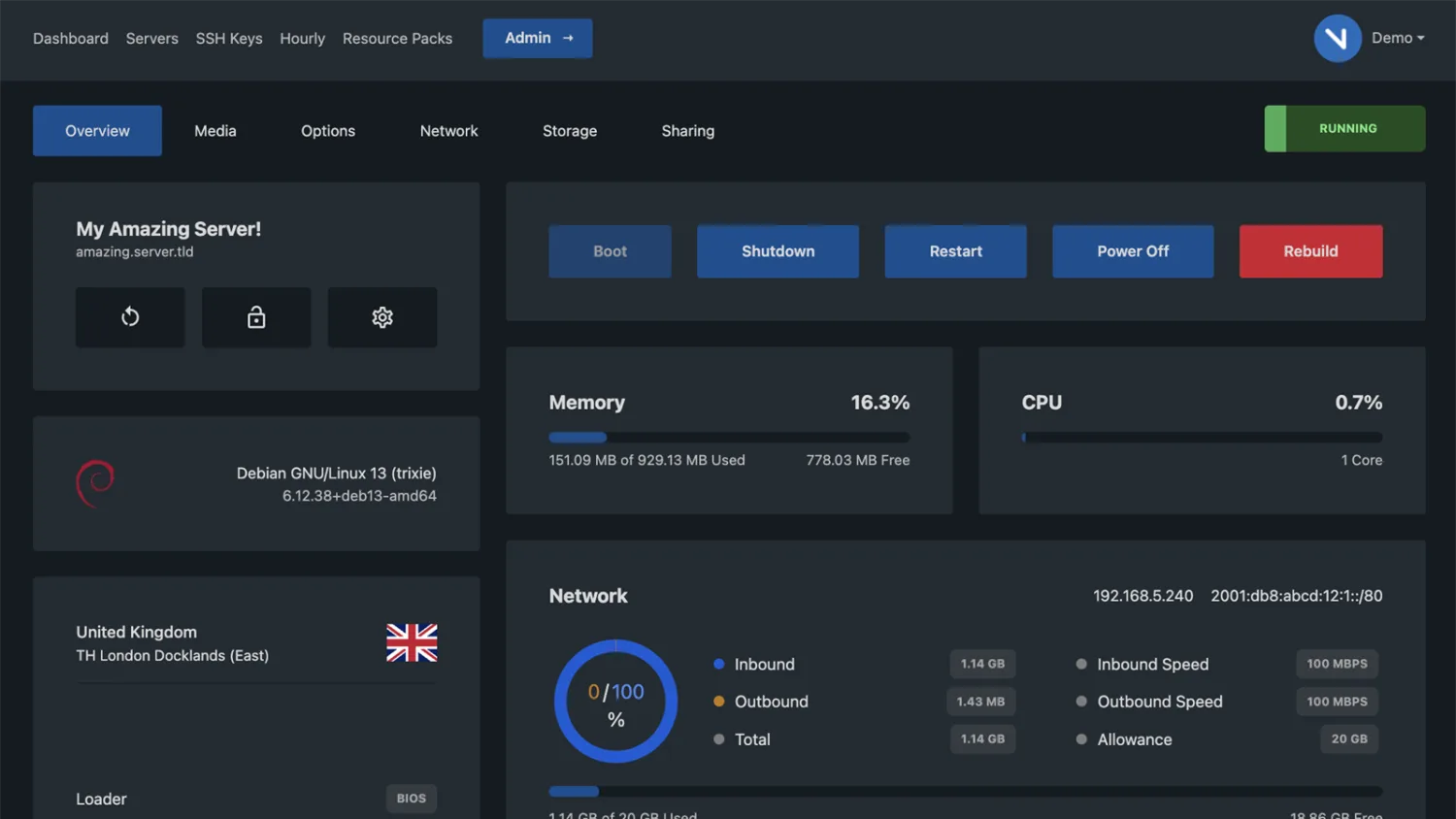
Start, stop, reboot or rebuild onto a different operating system without waiting for anyone.
CPU, RAM, disk and network over time, so you can size the next upgrade from evidence rather than a guess.
Take a snapshot before a risky change. If the deployment goes wrong, roll back instead of rebuilding.
Out of band access to the machine even when SSH is unreachable, which is exactly when you need it.
Wire several cloud servers together on an internal subnet for database tiers and back end traffic.
Cloud servers sit behind the same core network as the rest of our platform: 10 Gbps node uplinks, in line DDoS filtering and peering with the networks your users actually sit on.
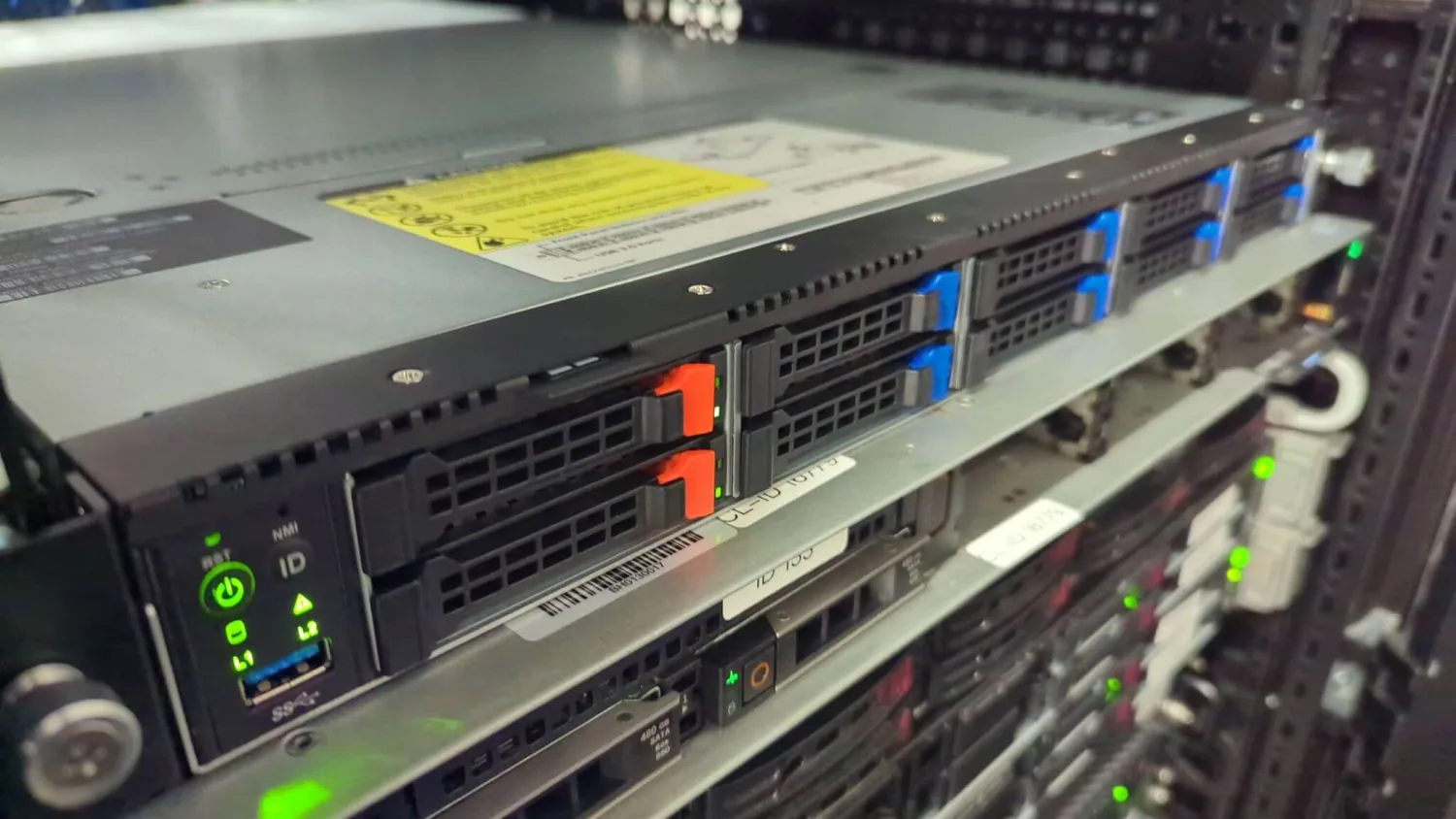 UK data centre
Not resold capacity from somebody else's platform. We buy the nodes, rack them, run the network and answer for them when something goes wrong.
Power, cooling and physical disks are ours to manage, which is why we can tell you exactly what a node is made of.
Your cloud server is in a UK data centre. There is no region roulette and no guessing where a replica ended up.
The people who answer the ticket are the people who build the platform, so escalation is a conversation rather than a queue.
One flexible cloud server can replace piles of shared hosting accounts, legacy VMs and random boxes under desks.
Host modern frameworks and classic stacks on a single cloud server. Ideal for Laravel, Node, Django, WordPress and agency multi site setups.
Run MySQL, MariaDB, PostgreSQL or Redis on a dedicated cloud server so your data is isolated from noisy neighbours.
Give your shop the dedicated cloud resources it deserves so checkout stays fast during promotions and seasonal peaks.
Use a cloud server as the control plane for game panels, match making, mod repositories or lightweight dedicated servers.
Host Discord bots, automation scripts, public APIs and microservices on cloud servers with consistent performance.
Deploy your own WireGuard or OpenVPN endpoint on a cloud server. Keep traffic under your control with UK IP addresses.
The hardware and virtualisation technology are often similar. The real differences are flexibility, control, cost model and how you use the platform.
| Shared hosting | Traditional VPS | Cloud server | Dedicated server | |
|---|---|---|---|---|
| Root access | No | Yes | Yes | Yes |
| Dedicated resources | No | Yes | Yes | Whole machine |
| Scaling between sizes | Fixed plan limits | Often a manual migration | A few clicks | New hardware |
| Snapshots and rebuilds | No | Varies by host | Included | Manual |
| Private networking | No | Varies by host | Included | Yes |
| Best for | Basic brochure sites | One low cost machine | Most online services and internal tools | Heavy databases and custom storage |
Shared hosting places hundreds of customers on a single machine with fixed resource limits and very little control. It works for basic sites but quickly becomes a bottleneck as traffic or complexity grows. A cloud server gives you dedicated resources, full root access and the ability to run whatever stack you need, not just what a shared panel allows.
A classic VPS is a virtual private server on a single host. You get more control than shared hosting, but scaling often means a manual migration and features like snapshots or private networks may not be included. A cloud server is part of a wider platform with better tooling, easier scaling between plans and integrations such as private networking, backup options and API access.
A dedicated server is still the right call when you need consistent access to an entire physical machine, for example heavy databases or custom storage setups. A cloud server is a better fit for most online services and internal tools because it is quicker to deploy, easier to rebuild and does not require you to think about hardware failures, power supplies or drive swaps.
Picking specifications is part science, part educated guess. Start by looking at what you run now, then adjust for growth.
Memory is usually the first real limit you hit. Databases, application caches and Java based services all benefit from having plenty of RAM.
On storage, leave headroom rather than running drives to 95 percent full. Growth in logs, backups and user uploads is routinely underestimated.
A cloud server is exposed to the internet, which means it will be scanned and probed within minutes of going online. Basic hardening reduces your risk dramatically.
# Example: basic UFW firewall on Ubuntu
apt update && apt install ufw -y
ufw default deny incoming
ufw default allow outgoing
ufw allow 22/tcp        # SSH
ufw allow 80,443/tcp    # Web traffic
ufw enable
Combine this with regular backups and monitoring and your cloud server will be in far better shape than most unmanaged machines on the internet.
Choose the size that matches your current workload. You can move up a tier later without rebuilding.
Deploy Ubuntu, Debian, AlmaLinux, Rocky Linux or Windows Server on supported plans.
Apply the security basics above, then install your stack over SSH or Remote Desktop.
Take a snapshot once it is configured and watch the CPU, RAM and disk graphs in the panel.
A cloud server is a virtual server that runs on powerful shared hardware in a data centre rather than a physical box in your office. You access it over the internet, install your own software and use it like a normal server, but you can scale resources and rebuild it much more easily than a physical machine.
Both cloud servers and VPS are virtual machines created with a hypervisor. The difference is how they are positioned and used. Our cloud servers sit on a high performance platform with fast hardware, snapshots, private networking and simple scaling between plans, so you can treat them as flexible cloud infrastructure rather than a one off low cost VM. If you want the same hardware sold as a straight VPS, see UK VPS hosting.
Yes. Every cloud server comes with full root access on Linux and full administrator access on Windows. You can install any software that is legal and within our acceptable use policy, change system settings and manage services just like you would on your own hardware.
Yes. You can upgrade to a larger cloud server plan from the control panel. CPU, RAM and storage are increased and you keep the same IP address. For most workloads this can be done with minimal or no downtime, depending on your operating system and configuration.
All cloud servers on this platform run in our UK data centre on hardware we own and operate. That gives you low latency to UK and European users and lets us control the full stack from power and cooling through to the hypervisor layer.
Yes. DDoS protection is always on for our cloud servers. Suspicious traffic is scrubbed by our mitigation platform before it reaches your instance so genuine users can still reach your site or service during an attack.
You can deploy a wide range of Linux distributions such as Ubuntu, Debian, AlmaLinux and Rocky Linux, as well as Windows Server on supported plans. If you need something specialist, contact us and we can usually mount a custom ISO for you to install your preferred OS.
You can create on demand snapshots of your cloud server. Higher tier plans also include automated backups on a schedule. We always recommend combining our platform backups with your own off site backup strategy for important workloads. A dedicated cloud server backup target is the usual way to do that.
We keep things simple. Each cloud server plan has a fixed monthly price that includes the listed resources, DDoS protection and basic support. There are no data transfer penalties inside fair use limits and no surprise per request fees like you see with some hyperscale clouds.
Yes. For most common stacks we can provide migration guidance and in some cases hands on assistance. Tell us what you are running now, where it lives and what you want from your new cloud server and we will propose a straightforward migration plan.
Move your sites, apps and services onto a cloud server that balances performance, simplicity and price. Deploy today, scale when you need to.
