










Essential
Sites, bots & starter projects
£5.99/mo
£5.99£3.00/mo
Save £35.88/yr
- 2 vCPU Intel Xeon
- 4 GB RAM DDR4 ECC
- 60 GB Enterprise NVMe
- 5 Gbps Unmetered
 Cheap VPS Hosting
Cheap UK VPS,
live in 60 seconds
Low prices, no compromise: 30 Tbps DDoS protection free on every plan.
Enterprise-grade virtual servers without the enterprise price tag. Full root access, NVMe SSD storage and 30Tbps DDoS protection, all from our own UK data centre. No contracts, cancel anytime, with a 48-hour money-back guarantee.




Every cheap VPS runs on dedicated vCores with NVMe SSD storage, 30Tbps DDoS protection and full root access, hosted in the UK and live in under 60 seconds. Pay monthly from £5.99, or save 50% with annual billing and pay from just £3.00/mo. No setup fees, ever.
Sites, bots & starter projects
Busy sites & small game servers
Databases & multi-app stacks
Serious traffic on a budget
Heavy workloads, honest price
Big power without big bills
Every VPS ships with VirtFusion: reboot, reinstall, monitor and manage your server in seconds, no support ticket required.
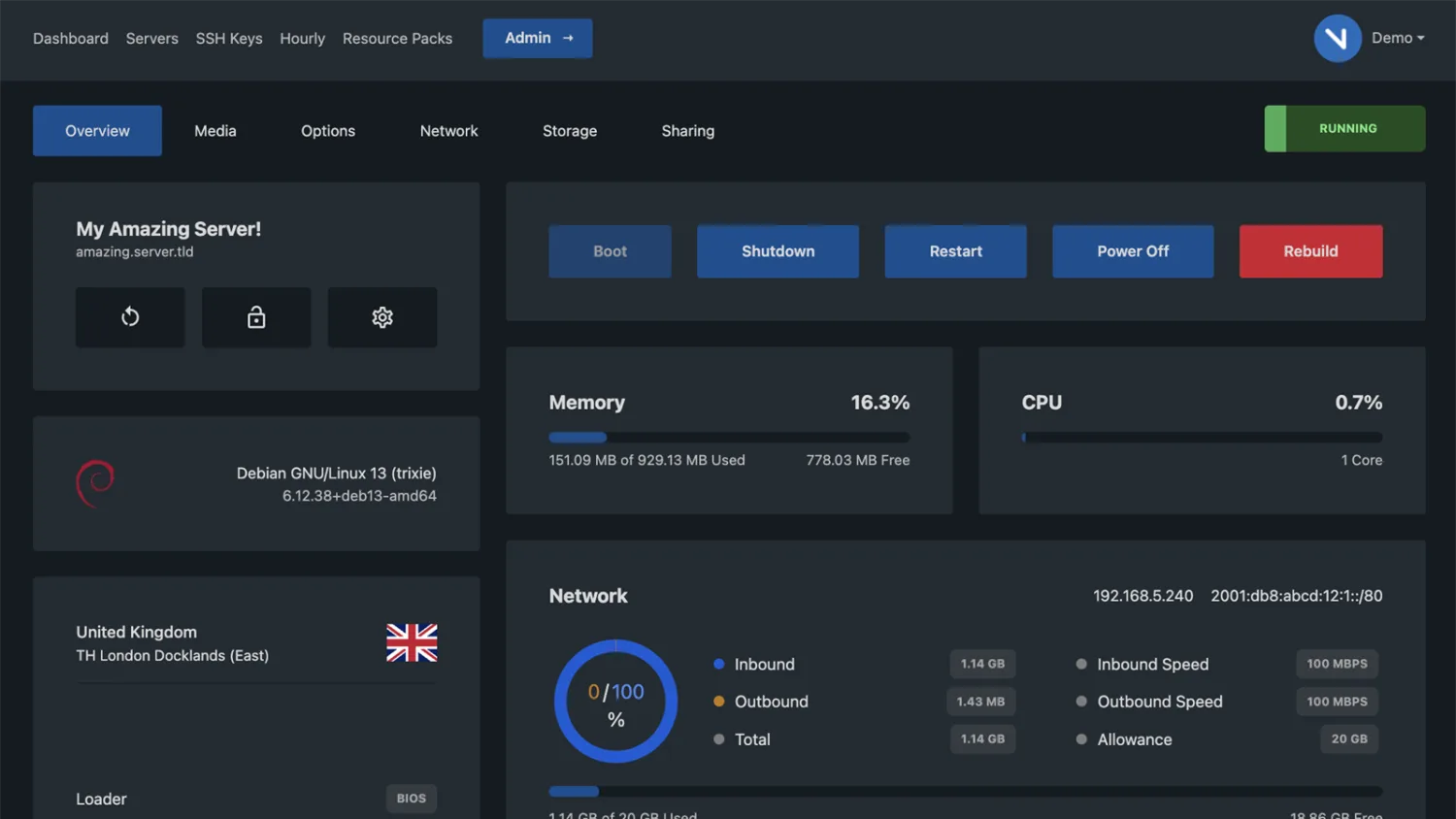
Boot, restart, power off or rebuild your server instantly, no waiting on support.
Real-time CPU, memory, network and storage usage at a glance.
Redeploy Ubuntu, Debian, Windows and more from the template library in a click.
Full out-of-band console access whenever you need to get hands-on.
Manage SSH keys, IPs and rDNS yourself, right from the dashboard.
Your VPS sits on our own private fibre runs feeding a global anycast network, so routes stay short, attacks are scrubbed at the nearest edge, and your traffic always takes the fastest path.
 UK-owned facility
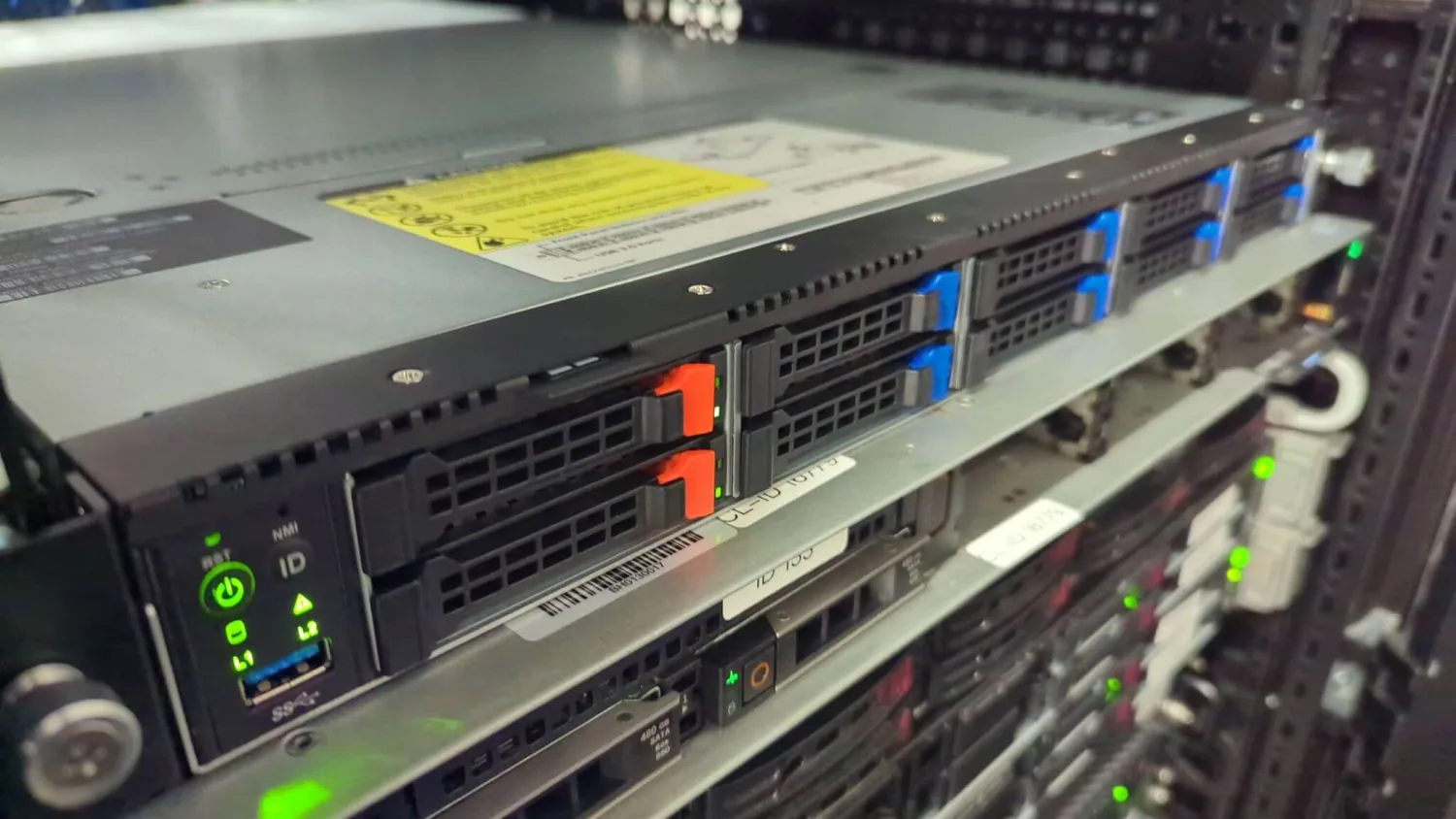
Your VPS doesn’t sit in a reseller’s rack. We own the building, the racks and the hardware it runs on, so there’s no middleman between you and the metal.
No reseller margin stacked on top. You pay for hardware we run ourselves, not someone else’s markup.
Our engineers are on-site with physical access to the hardware, so problems get hands-on attention in minutes, not days.
We own the full stack: power, network and hardware. That means we can tune, scale and secure your VPS without waiting on a third party.
Rated 4.8 / 5 by 500+ server owners on Trustpilot.
Ordered a Rust server and it was online before I'd finished setting up Discord. Performance has been rock solid and the panel is genuinely easy to use.
Had a mod conflict at 2am and a real person sorted it within minutes over live chat. No bots, no waiting days for a ticket reply. Brilliant.
Switched from a much bigger host and I'm paying less for noticeably better performance. No lag at all even with a full Minecraft server.
Running a community ARK cluster for months now with zero downtime, even through a couple of DDoS attempts that never touched the players.
First time ever running a server and the one-click installs made it effortless. Loads of games to choose from and swapping between them is easy.
Pick the game you want to host, then put us to the test, no commitment, cancel anytime.
Two reasons. We own and run our own UK data centre, so there is no middleman markup, and annual billing cuts every plan's price by 50%, taking our Essential VPS down to £3.00/mo. You still get NVMe SSD storage and the same network our dedicated clients run on.
No. Even our entry plans run on high-frequency CPUs and NVMe SSD storage, so they stay fast and responsive. Cheap pricing here means efficient infrastructure, not cut-down hardware.
Our Essential plan is £5.99/mo, or just £3.00/mo on annual billing, with 2 vCPU, 4GB RAM and 60GB NVMe SSD. That’s a proper production-ready server, not a stripped-down micro instance, and it’s ideal for websites, bots and small apps.
Yes. Every plan, including the cheapest, comes with full root via SSH. Install any packages, configure firewalls and manage the server exactly how you like.
Yes. Every VPS includes 30Tbps DDoS protection at no extra cost, across both network and application layers, regardless of how little you pay.
Most deployments complete within 60 seconds of payment. You receive login credentials immediately and can start using your server right away.
No. The price you see is the price you pay, with no setup fees and no surprise charges. Choose monthly billing, or save 50% by paying annually.
Yes. Start on any plan and scale CPU, RAM and storage at any time without rebuilding. Upgrades take effect quickly with minimal downtime.
Plenty. Websites, web apps, Discord and Telegram bots, databases, VPN tunnels, game servers and CI tasks all run well. Pick a plan that matches your workload and scale up as you grow.
Shared hosting puts many customers on one server to fight over the same pool of CPU and memory. A cheap VPS still fits a budget, but you get isolated resources, your own operating system and full root access, so you avoid the noisy neighbour problems that slow shared hosting down.
Yes, as long as you size your plan correctly. Many small to medium sites, internal tools, game servers and APIs run comfortably on these nodes. Start small, watch CPU, RAM and disk usage, then upgrade if you consistently hit 70 to 80 percent.
Basic Linux or Windows knowledge helps, but you do not need to be an expert. Our panel handles OS reinstalls, console access, power controls and snapshots, and our team can point you at guides and best practices.
In our own UK data centre, with 5 to 10ms latency to London and full GDPR-compliant UK data residency.
Ubuntu, Debian, CentOS, AlmaLinux, Rocky Linux and Windows Server are available out of the box. You can also upload a custom ISO if you need something different.
Yes. Every new order is covered by a 48-hour money-back guarantee. If you’re not satisfied, contact support within 48 hours for a full refund.
Credit and debit cards (Visa, Mastercard, Amex), PayPal and bank transfer, all processed securely through Stripe.
We guarantee 99.99% uptime, under 4.38 hours of downtime a year, backed by N+1 power and an account-credit SLA, even on the cheapest plans.
