Satisfactory Server Hosting
Satisfactory server hosting built for big factories.
Launch Your Dedicated Satisfactory Server in 60 Seconds
- Instant setup
- Always-on DDoS protection
- Full FTP access
- Mod Installation
- Server Configuration
- Backups & Saves
Check your connection
Compare latency to our locations


Measured live from your browser
Lower ping means smoother, more responsive co-op factory building for every player.
Pick your Satisfactory server.
Every plan includes one-click mod packs, the Satisfactory Mod Manager, full FTP/SFTP access, automatic backups, always-on DDoS protection and our control panel: scale up or down anytime.
Starter Tier
Small private factory with friends
Mid Tier
Growing co-op factory community
Top Tier
Large modded / mega-factory build
We're rated excellent.
Rated 4.8 / 5 by 500+ server owners on Trustpilot.





One of the best providers
Changing to EUGameHost was one of the best decisions I've made. I now run a dedicated server and two game servers. The team is amazing, knowledgeable and personal. No bots.
The best out there
I've tried a lot of game server hosts over the years and after a year with EUGameHost they're one of the best, especially the support. Loads of RAM where most hosts charge a fortune to upgrade.
Amazing customer service
Had an issue with my server and got a response very quickly. Once we confirmed it, the fix was applied immediately and I was given extra time for free. 100% recommend.
Rock steady through DDoS attacks
Switched our server over from a previous host after server-killing DDoS attacks. Haven't had a single issue since and the servers are rock steady.
Best host out there
Really good host, very good server and a very patient team, always there to help with quick ticket responses. Extremely happy with their work.
Fantastic price for the hardware
Use this to host a game server: absolutely fantastic price for the hardware available. Had one small issue and got a human response in under 2 minutes. Can't complain.

Built specifically for dedicated factory servers.
Mods, saves, configuration and live console: everything you need to run a persistent Satisfactory world with friends without fighting the server.
Mods & Content
- One-click community mod packs
- Satisfactory Mod Manager (SMM) ready
- Satisfactory Plus, Refined Power & more
- Official 1.0 release & add-ons
Saves & Config
- Automatic backups you can roll back
- In-browser GameUserSettings.ini editor
- Full FTP / SFTP file-level access
- Upload & download saves anytime
Performance
- High-clock Xeon & Ryzen 9 CPUs
- Up to 32 GB fast DDR4 / DDR5 RAM
- Gen4 NVMe SSD storage
- Multi-threading for big factories
Reliability
- Always-on Layer 3/4/7 DDoS protection
- Never null-routed during attacks
- UK (London) & US (Dallas) locations
- 24/7 UK-based support
Trusted by 500+ game server owners.
Full control over your factory server.
Manage mods, saves, configuration and your live world from one powerful panel: switch between the features below to see how easy Satisfactory server administration really is.
View Satisfactory plans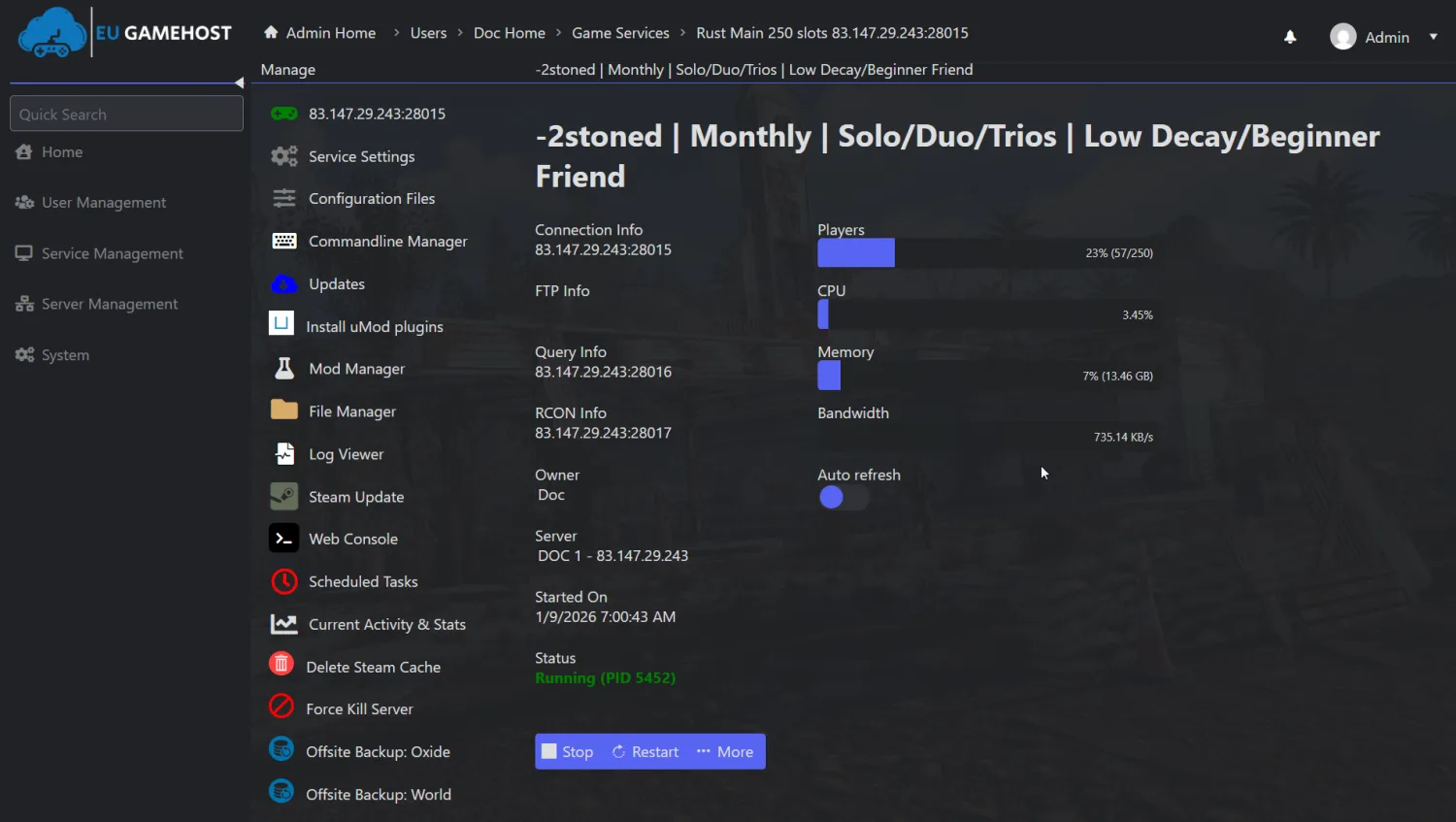 Live server console
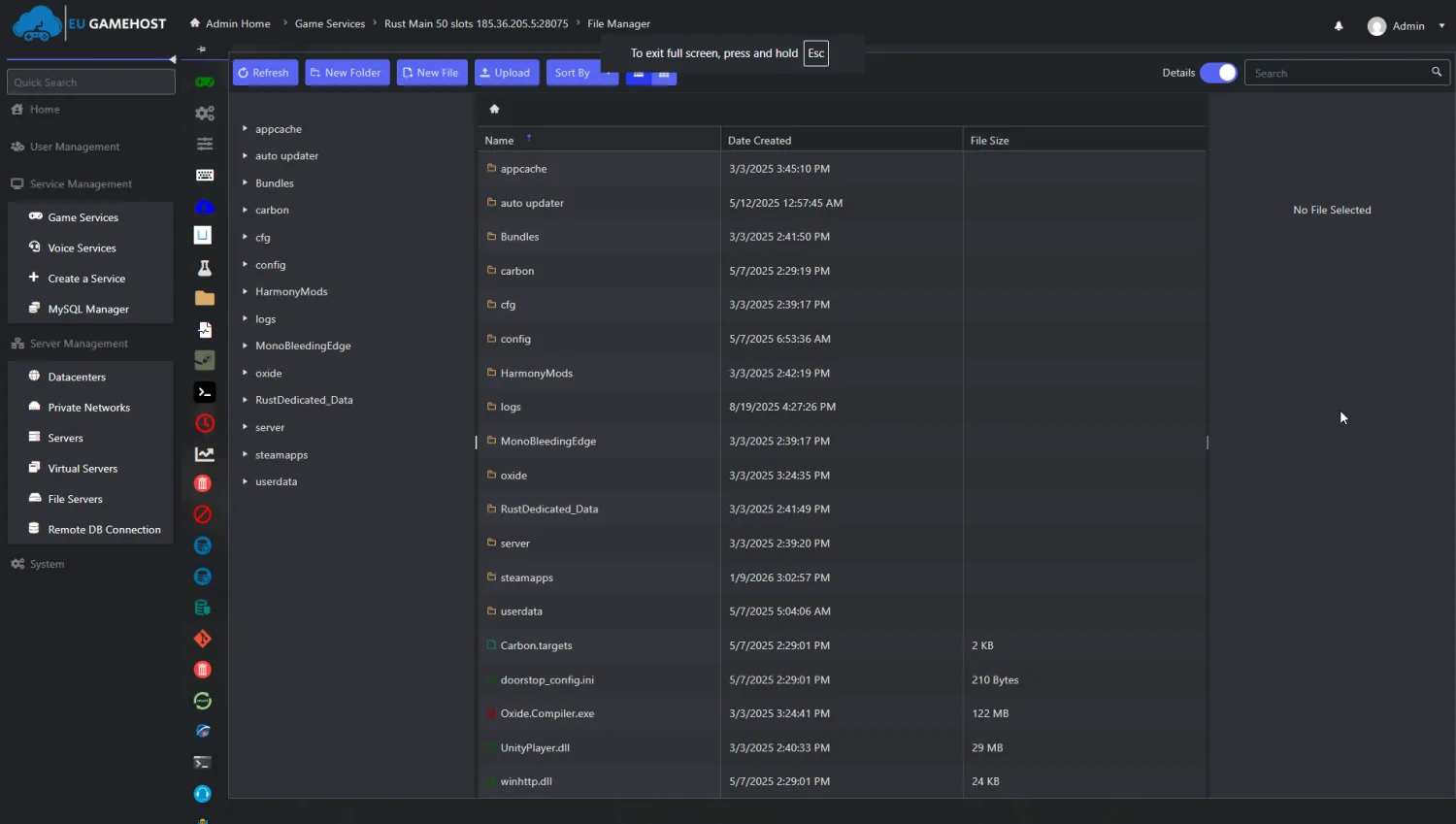 Complete file control
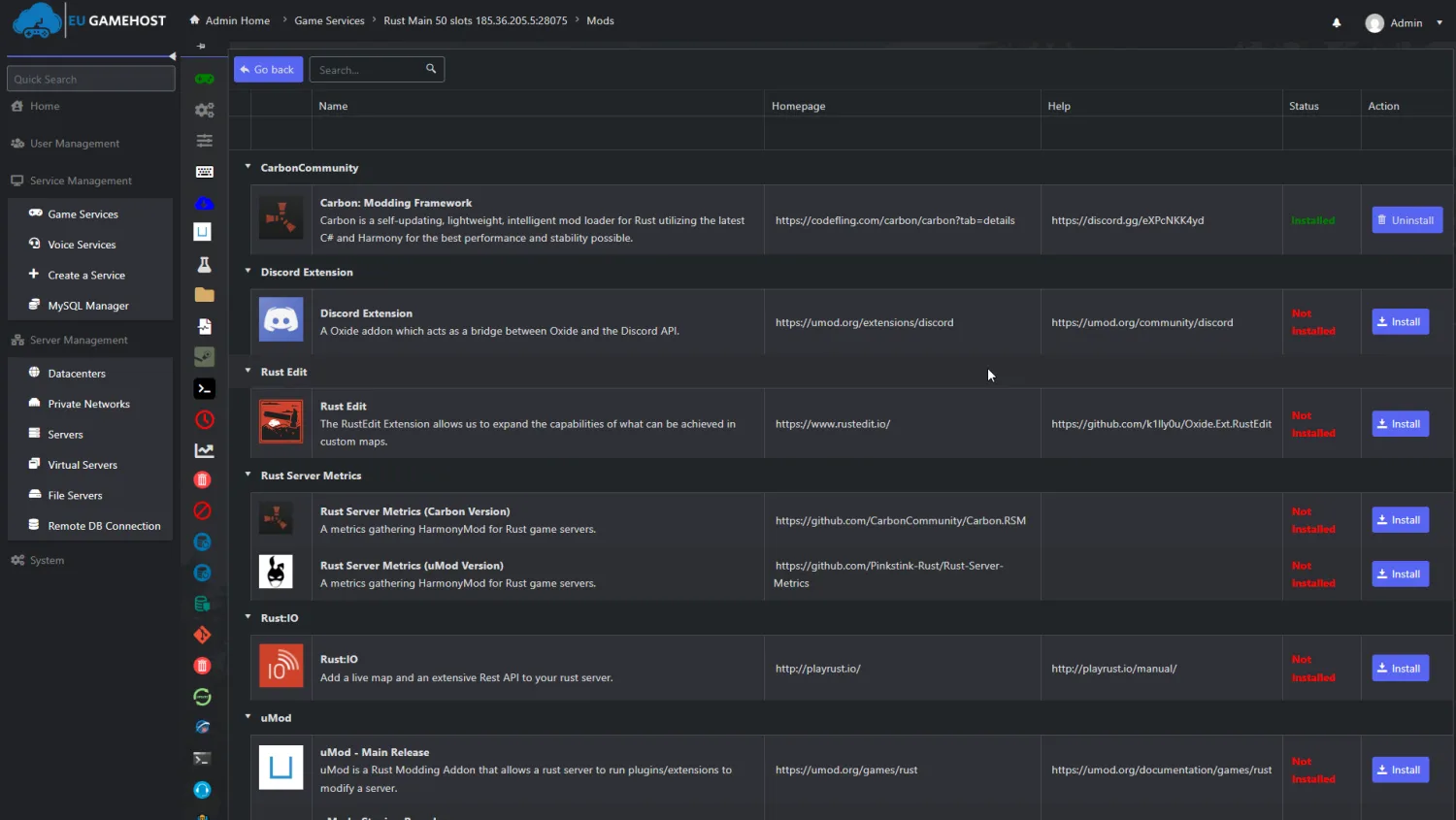 Mods made easy
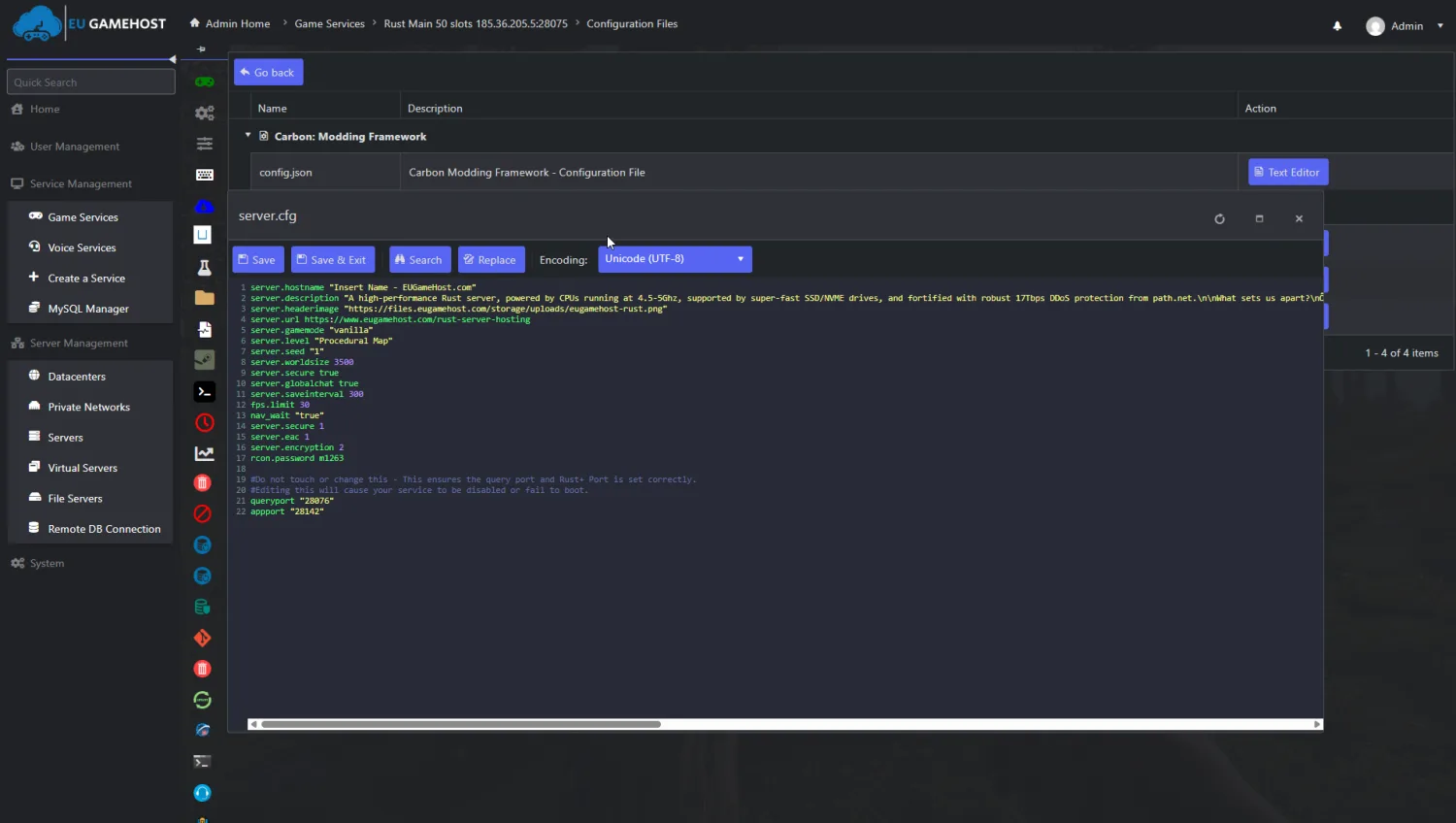 Easy configuration
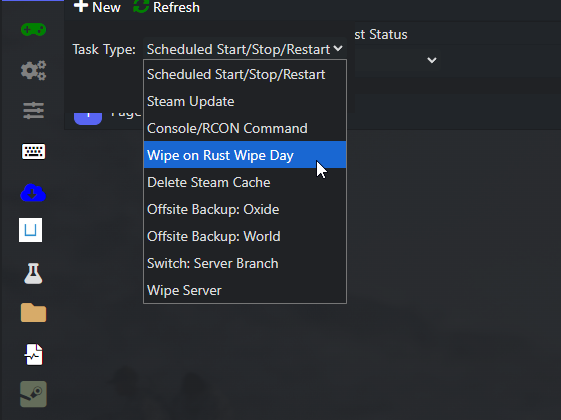 Saves protected
Built for smooth, sprawling factories.
Satisfactory leans hard on CPU and memory as your factory grows: real hardware tied to real in-game results.
Ryzen 9 7950X
High single-thread clock
10Gbps Connection
Low-latency network
NVMe SSD
Read & write
What that means on your Satisfactory server
EUGameHost vs a typical budget host
| Hardware | Standard | Premium Best | Typical host |
|---|---|---|---|
| CPU | Intel Xeon @ 3.8GHz+ | Ryzen 9 7950X @ 5.8GHz · dedicated cores | Low-clock / oversold |
| Memory | DDR4 3200MHz | Up to 32 GB DDR4 / DDR5 | Shared DDR4 |
| Storage | Gen4 NVMe SSD | Gen4 NVMe SSD | SATA SSD or HDD |
| Network | 10 Gbps | 10 Gbps | 1 Gbps shared |
| DDoS protection | Always-on · Layer 3/4/7 | Always-on · Layer 3/4/7 | Null-routed during attacks |
| Mod support | SMM + one-click packs | SMM + one-click packs | Manual only |
| Automatic backups | Included | Included | Often paid or absent |
| Setup time | ~60 seconds | ~60 seconds | Manual / queued |
Compared with a typical budget Satisfactory host: specifics vary by provider and plan.
Lower ping. Smoother co-op.
Our private backbone and smart routing keep your Satisfactory server responsive for players across the UK, EU, and beyond.

- Point of presence
- Edge metro
- Private fibre run
Everything you need to run a better factory server.
CPU-optimised hardware, real DDoS protection and a panel built for Satisfactory admins, without the premium price tag.
Instant setup
Go from checkout to a live Satisfactory server in under 60 seconds: your server deploys automatically and your world is ready to host friends.
CPU-tuned performance
High-clock Ryzen and Xeon CPUs, DDR5 memory and pure NVMe SSDs keep tick-rate steady even as your factory grows into a mega-build.
Always-on DDoS protection
Layer 3, 4 and 7 mitigation with Anycast routing keeps your factory server online through attacks, never null-routed, nothing to configure.
24/7 expert support
Real UK-based people who understand dedicated servers, mods and config: fast answers by ticket or Discord, day or night.
Mods & mod packs
Install community mod packs in one click, keep server and client in sync with the Satisfactory Mod Manager, and upload any mod you like.
Full control panel
Manage config, the live console, mods, automatic backups and files from one powerful panel you actually control.
This is Satisfactory.
A look at the factory-building, automation and exploration, then build your own server in under a minute.






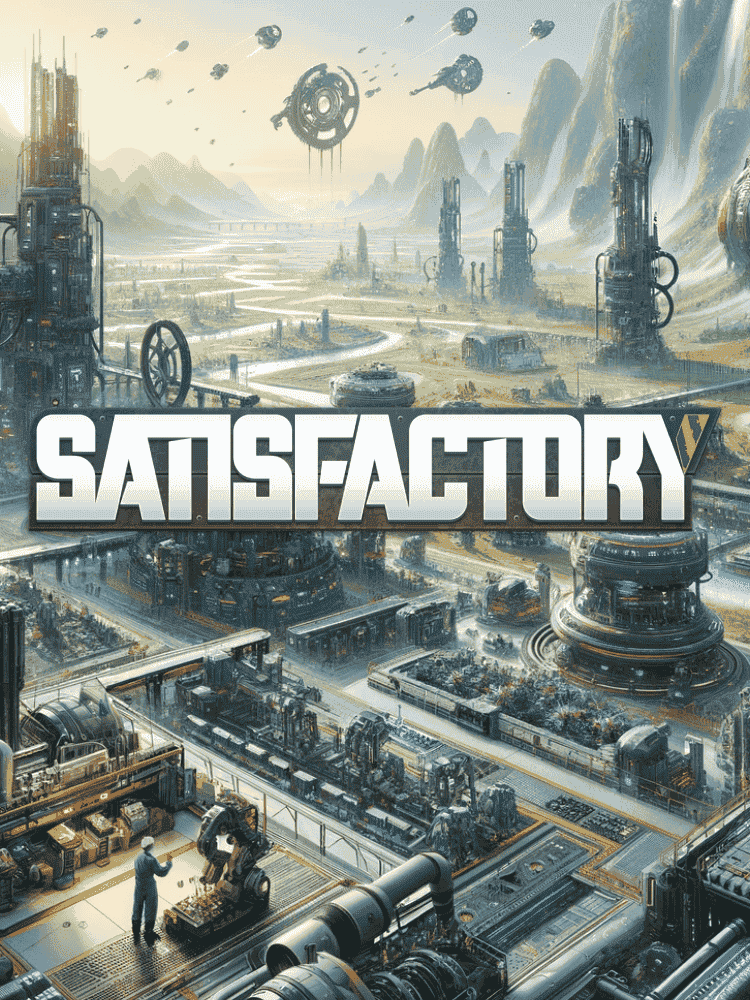




Try us risk-free with a 48-hour money-back guarantee.
Spin up your Satisfactory server and put us to the test. If it's not right within the first 48 hours, contact support for a full refund. No contracts, cancel anytime.
Satisfactory server hosting questions, answered.
Your Satisfactory dedicated server is deployed automatically the moment your order completes and is typically online within 60 seconds with full control panel access. There is no manual install: your factory world is ready to host friends straight away.
Yes. Our hosting is built for the Satisfactory Mod Manager (SMM) ecosystem, with one-click community mod packs such as Satisfactory Plus, Super Recipes, Refined Power and more. With full FTP/SFTP access you can also install any mod manually and keep server and client versions in sync.
Our plans are sized for roughly 20, 64 and 128 players, and you simply pick the slot count that suits your group. Satisfactory's real ceiling depends on CPU clock speed, RAM and how heavily modded and built-out your factory is, rather than an artificial cap.
We run high clock-speed Intel Xeon and AMD Ryzen 9 7950X processors paired with up to 32 GB of fast DDR4/DDR5 memory and Gen4 NVMe SSD storage. That keeps large, sprawling factories and complex conveyor and power networks simulating smoothly without tick-rate drops.
Yes. Every Satisfactory server includes always-on DDoS protection with Layer 3, 4 and 7 filtering and Anycast routing, backed by 30 Tbps of capacity. Your server is never null-routed during an attack, and there is nothing extra to buy or configure.
Yes. Your entire save folder is backed up automatically so a corrupted save or a build gone wrong is never the end of your world: you can roll back to an earlier point from the control panel, and you can also download saves over FTP at any time.
Yes. You get full FTP/SFTP and file-level access plus an in-browser config editor, so you can adjust GameUserSettings.ini, set max players, enable multi-threading and tune performance settings without SSH or the command line.
Yes. Our servers run the full Satisfactory 1.0 release with its improved performance and automation, and we support the official add-ons, so you can keep your world current with the latest game updates and content.
Yes. With full FTP/SFTP access you can upload your existing FactoryGame/Saved/SaveGames folder straight into the same directory structure, and as long as the game and mod versions match your world and progress come across intact. Our support team can guide the migration.
We host Satisfactory in the UK (London) and US (Dallas) with optimised routing for European and North American players. You can run our live latency test from the top of this page before you buy to check your real ping to each location.
Free and ultra-cheap Satisfactory hosting almost always runs on low-frequency, oversold CPUs that stutter the moment a factory grows large. Our Satisfactory hosting starts at £4.80/mo for CPU-optimised hardware, NVMe storage, a 10 Gbps network, automatic backups and real always-on DDoS protection that keeps a serious build online.
What to look for in a Satisfactory host
Not every Satisfactory host is built the same: here is what genuinely matters when choosing where to run your factory server, and how EUGameHost delivers on each.
| What to look for | Why it matters for Satisfactory | EUGameHost |
|---|---|---|
| High-frequency CPU | Satisfactory's simulation load climbs as your factory grows, and raw per-core clock speed is what keeps tick-rate steady when conveyor and power networks get complex. | Our hardware runs high-clock Intel Xeon and AMD Ryzen 9 7950X CPUs so your factory keeps simulating smoothly even at mega-build scale. |
| No overselling | Oversold nodes share one CPU across far too many servers, causing stutters and tick-rate drops the moment several worlds get busy at once. | We size capacity to the hardware and never oversell: your plan gets the CPU and memory it's sold with. |
| NVMe storage | Large factory saves and modded worlds can grow significantly, and slow disks cause long world loads and stuttery streaming. | Every plan runs on Gen4 NVMe SSD storage as standard for fast world loading and quick save handling. |
| Always-on DDoS protection | Game servers are frequent attack targets, and budget hosts often null-route during an attack, taking your whole group offline. | Always-on Layer 3/4/7 DDoS protection with Anycast routing and 30 Tbps capacity is included on every server, and we never null-route during an attack. |
| Mod support | Modern Satisfactory play leans on community mods and the Satisfactory Mod Manager, which need proper file access and version control. | One-click community mod packs plus full file access mean you can install and sync any mod via SMM, free, anytime. |
| Automatic backups | A corrupted save or a build gone wrong can wipe hours of work, so reliable, frequent backups are essential. | Automatic backups are included on every plan, with one-click restore and FTP download whenever you need it. |
| UK + US locations (latency) | Low ping keeps co-op building responsive; the right location for your players makes a tangible difference. | Choose London (UK) or Dallas (US) to put your server close to your group, and test your real ping before you buy. |
| Real 24/7 support | Server problems don't keep office hours: a downed world or a mod conflict at 2am needs a real person who knows the platform. | Genuine 24/7 UK-based support, backed by a 4.8/5 Trustpilot rating from over 500 reviews. |
| No-contract / cancel anytime | Interest in a world ebbs and flows, so being locked into a long contract is a needless risk. | No contracts, ever: pay as you go, scale up before a big build and cancel whenever you choose. |
The complete guide to Satisfactory server hosting
Renting a Satisfactory server gives you a persistent factory world that's always online for you and your friends (mods, saves and configuration under your control) without tying up your own PC or exposing your home connection. This guide covers everything you need to know about Satisfactory server hosting: how it works, the hardware Satisfactory demands, how mods and saves work, what it costs and how to pick a host that stays smooth as your factory grows.
Satisfactory is a first-person, open-world factory-building game from Coffee Stain Studios in which you harvest resources and construct sprawling automated production lines on an alien planet. Satisfactory server hosting runs a dedicated instance of the game on managed hardware, so your factory world stays online around the clock and friends can join, build and automate together whenever they like, without anyone needing to keep a PC running as the host.
EUGameHost provides premium UK and US Satisfactory hosting with a full control panel, live web console, file manager, configuration editor, automatic backups and one-click mod packs, so you can go from checkout to a live, mod-ready factory server in minutes. With a Trustpilot rating of 4.8 out of 5 from more than 500 reviews, it's a setup built for groups who want their world to feel as polished as the factory running on it.
Self-hosting Satisfactory from a home PC sounds cheaper on paper, but it rarely is once you factor in the realities. A dedicated Satisfactory server is CPU and memory hungry as a factory scales, and running it locally ties up your own machine, exposes your home IP and bandwidth, and takes the world offline whenever your power, internet or PC has a wobble. A residential connection also lacks the DDoS protection a public server can attract attention for.
Renting a dedicated Satisfactory server solves all of this. EUGameHost includes always-on DDoS protection free on every plan, a 10 Gbps network, full FTP/SFTP access for deep customisation, automatic backups and 24/7 support for when something needs a human. With no contracts you can cancel anytime, so renting carries none of the long-term risk of buying and maintaining your own hardware.
Satisfactory's dedicated server is sensitive to CPU clock speed and memory, and the reason is the simulation: every belt, machine, splitter and power line is being calculated continuously. As your factory grows from a starter base into a sprawling, multi-zone production network, that simulation load climbs, and a low-clock or oversold CPU sees its tick-rate drop, producing the stutter and lag that ruin a big build.
The pressure point is a large, late-game or heavily modded factory with friends connected. That's when a strong CPU, generous fast memory and quick storage matter most. A high single-thread processor keeps the simulation responsive, plenty of RAM holds a big world in memory, and NVMe storage loads and saves that world quickly.
CPU and memory: clock speed and RAM
Because Satisfactory's simulation is demanding, clock speed and per-core throughput matter a great deal, and a large factory benefits from plenty of RAM to hold the world. EUGameHost runs high-clock Intel Xeon and AMD Ryzen 9 7950X CPUs and offers up to 32 GB of fast DDR4/DDR5 memory, so even a mega-factory with mods and friends online stays smooth.
Storage and network: NVMe and 10 Gbps
Large and modded saves load and write far faster on NVMe SSDs than on older disks, cutting the time it takes to load your world or restore a backup. Every plan also rides a 10 Gbps network so bandwidth is never the bottleneck for mod downloads or moving saves around.
Mods are a huge part of long-term Satisfactory, from quality-of-life tweaks to total overhauls like Satisfactory Plus and Refined Power. The key to running them on a server is keeping the server and every player's client on matching mod versions: which is exactly what the Satisfactory Mod Manager (SMM) is for.
EUGameHost offers one-click community mod packs and full file access, so you can install popular packs instantly or upload any mod manually, then keep everyone in sync via SMM. Your entire save folder is also backed up automatically, so a corrupted save or an experiment gone wrong is never the end of your world: roll back from the panel or download saves over FTP whenever you like.
Satisfactory server hosting is priced mainly on the player capacity and resources you need. A small co-op factory for a few friends costs very little to run, while a large modded mega-build with more players online needs more CPU and memory, and the pricing reflects that.
EUGameHost's Satisfactory plans start from £4.80 per month, sized for roughly 20, 64 and 128 players. Billing is flexible: pay monthly, or commit further and save. Quarterly saves 10%, semi-annual saves 20% and annual saves 25%. There are no contracts and you can cancel anytime, so you're free to scale your plan up before a big build and adjust it afterwards without penalty.
Location is the difference between responsive co-op and a server that feels laggy for half your group. While Satisfactory is more forgiving of latency than a shooter, lower ping still keeps placing and editing builds snappy, so you want your server hosted as close as possible to the bulk of your players.
EUGameHost offers Satisfactory locations in the United Kingdom (London) and the United States (Dallas), with routing optimised for European and North American players. London is the natural home for UK and European groups, while Dallas serves North America with low latency. Run the live latency test at the top of this page to check your real ping to each before you buy.