£2 Metin 2 VM
A first test world
£2.00/mo
£2.00/mo
excl. VAT (UK clients only)
- 2vCore @ 3.6Ghz
- 2GB DDR4
- 20GB Gen 4 NVMe SSD
- 5Gbps Networking
A UK virtual machine you control outright: your own Metin2 source, your own MySQL and your own rates. Gen 4 NVMe storage, 5Gbps networking and EdgeProt filtering in front of it.
Every plan is the same platform: dedicated 3.6GHz cores, Gen 4 NVMe, 5Gbps networking and DDoS filtering. The only thing that changes is how much of it is yours. Paying yearly halves the monthly rate from VM 1 upwards.
A first test world
£2.00/mo
£2.00/mo
excl. VAT (UK clients only)
A small private world for friends
£5.99/mo
£2.99/mo
excl. VAT (UK clients only)
Save 50%, paid yearlyA growing server with regular PvP
£9.99/mo
£4.99/mo
excl. VAT (UK clients only)
Save 50%, paid yearlyBusy sieges and a live database
£15.99/mo
£8.49/mo
excl. VAT (UK clients only)
Save 50%, paid yearlySeveral channels on one machine
£20.99/mo
£10.49/mo
excl. VAT (UK clients only)
Save 50%, paid yearlyA large world plus a test realm
£23.99/mo
£11.99/mo
excl. VAT (UK clients only)
Save 50%, paid yearlyMulti-channel plus a web front end
£25.99/mo
£12.95/mo
excl. VAT (UK clients only)
Save 50%, paid yearlyThe whole cluster on one box
£29.00/mo
£14.50/mo
excl. VAT (UK clients only)
Save 50%, paid yearlyPrices exclude VAT and are shown per month. Metin 2 VM 7 is ordered from the UK VPS 7 Elite product page. Need more than 32GB, or bare metal for a full cluster? Our dedicated servers start where this range stops.
Metin2 is not one process. It is a game core, several channel processes, a database and usually a web front end, all on the same box and all reaching for the same disk. These are the things that decide whether a siege holds together.
Channel switches, item drops and every database write hit the disk. Gen 4 NVMe on every plan is why a busy dungeon does not stutter while MySQL flushes.
Game cores lean heavily on one thread, so clock speed matters more than core count. Every plan runs on 3.6GHz cores allocated to you rather than shared out of a pool.
A popular private server is a target. EdgeProt applies application-level rules and gives you attack reports, instead of null routing your IP until the attack stops.
No game panel and no locked filesystem. Compile your own binaries, install the exact library versions your source expects, and keep the startup scripts you already have.
Daily offsite backups run automatically. Take a manual snapshot before a rate rebalance or a source change, then roll back from the panel if the community hates it.
CPU, memory and NVMe space grow on the same machine, so a server that outgrows its plan keeps its IP address, its files and its players.
A server browser ranks partly on how fast you answer it. Answer from one machine in the UK and a player in Warsaw waits for the full round trip. Answer from an edge node near them and the same server sorts higher in the same list.
Scroll the diagram sideways to see both paths
Server browser lookups are answered from the edge node closest to the player, so a listing refresh does not spend your machine's CPU or your uplink.
Answer in 10 to 30 milliseconds across Europe and North America and your server can appear above one that answers in triple that, at the same player count.
Query reflection attacks are absorbed at the edge alongside the rest of the EdgeProt filtering, so a spike in lookups does not take the world offline.
Related: DDoS protection UK VPS hosting Remote MySQL hosting All game servers
You get the VirtFusion panel, not a support queue. Console access, OS reinstalls, snapshots and traffic graphs are all self-service, which matters when a source update goes sideways at two in the morning.

Reach the machine even when a firewall rule or a broken network stack has locked you out of SSH.
Debian, Ubuntu, CentOS, AlmaLinux, Fedora, Arch, and Windows Server 2019, 2022 or 2025, in a couple of minutes at no extra cost.
Take one before a risky change and roll back from the panel if it did not land. Daily offsite backups run underneath regardless.
See what the box is doing over 30 minutes to a week, so a slow channel shows up as a shape rather than a guess.
Open only the ports your source and your channels actually use, from templates rather than from memory.
The hosting part is ours, the world is yours. This is the order most people work in, and our team will help with the server side of any of it.
Pick a plan with room for the game core, your channels and MySQL together. 4GB is enough to learn on; 8GB to 16GB is where most live servers settle.
Deploy Debian or Ubuntu for stability, connect over SSH, update the system, then install the dependencies your source expects, including MySQL and the libraries it links against.
Copy your Metin2 source across, set file permissions and ownership, then import the SQL dumps so the account, player and item databases exist before the core starts.
Point the config at your database credentials, set your rates, item tables and player limits, then run the startup scripts and confirm each channel is listening.
Edit your client files so they connect to the machine's IP and ports, then distribute the packaged client to your community.
Snapshot before changes, keep the firewall tight, patch the operating system, and watch the graphs. The backups run themselves; community management is the hard part.
We supply the server, the network and the protection. Sourcing your game files, and any rights or licensing questions attached to them, are yours. Our acceptable use policy sets out where that line sits.
 UK data centre
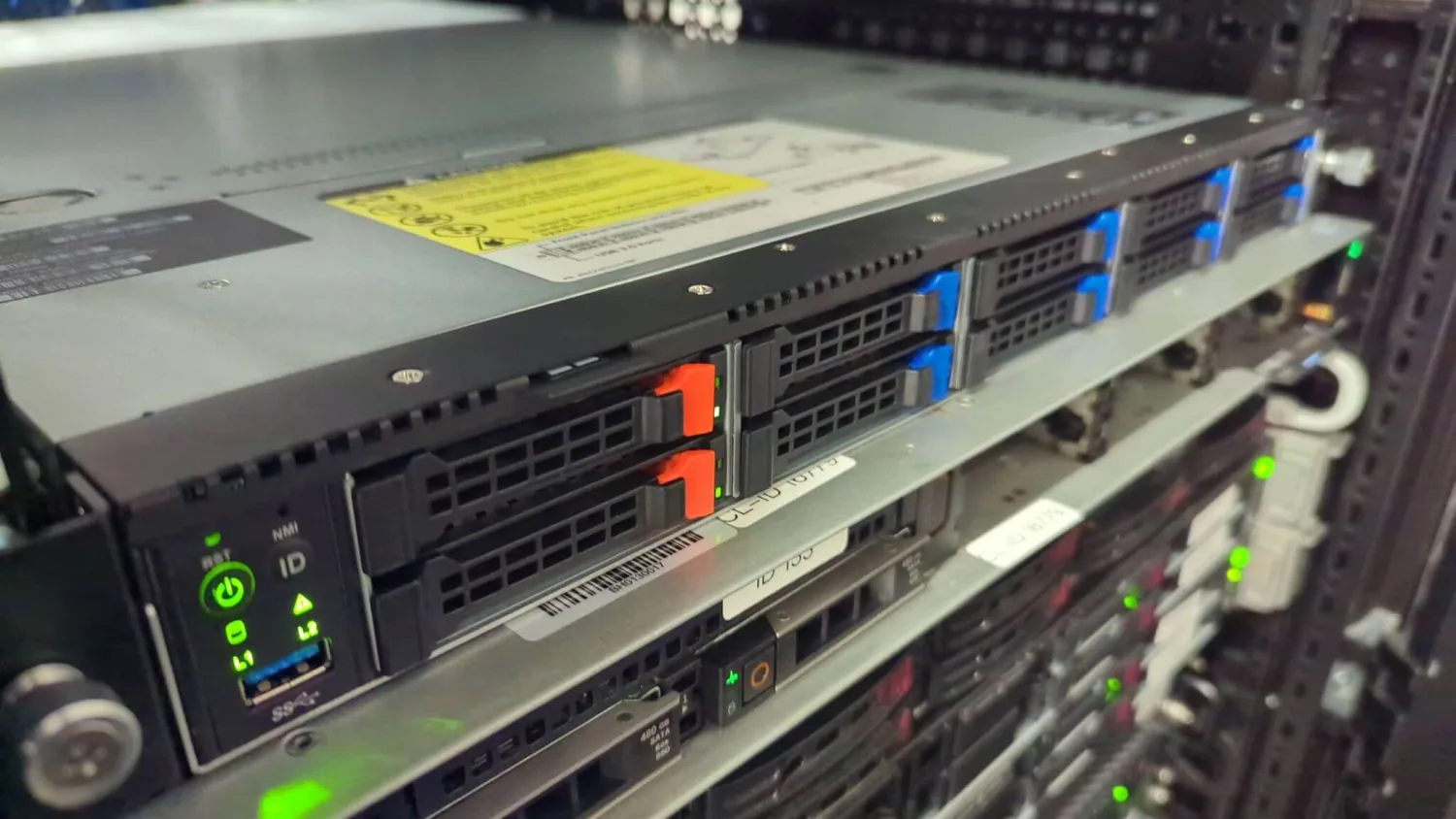
These are not resold cloud instances. We build the nodes and we own the UK facility they sit in, which is why an engineer can stand next to your machine rather than raise a ticket with a landlord.
Onward transit and peering from London, so European players get a short path in. Check it yourself on our Looking Glass.
Every machine sits behind the same always-on EdgeProt filtering as the rest of the platform, with attack reports in your panel.
24/7, in house, and reachable on Discord as well as by ticket. Not an outsourced first line.
Card and PayPal are handled at checkout. If the method you use is not here, open a ticket and we will tell you what else we can take.


Yes. Every plan is a virtual machine with full root or administrator access, so you can install the Metin2 game files, MySQL and any libraries your source needs. There is no game panel sitting between you and the server.
Most Metin2 sources are built for Linux, and Debian or Ubuntu is the usual choice. Windows Server 2019, 2022 and 2025 are included at no extra cost if your source or your tooling needs them. Reinstalls are free and take a couple of minutes.
A small world for friends runs comfortably on 4GB. Once you are running several channels plus MySQL and a web front end, 8GB to 16GB gives the database room to cache. Metin2 is sensitive to disk latency as much as to memory, which is why every plan is on Gen 4 NVMe.
Yes, on every plan. Traffic arrives through our EdgeProt filtering with application-level rules and attack reporting, rather than a null route when an attack starts. There is more detail on our DDoS protection page.
Yes, and most Metin2 setups do. If you would rather keep the database separate, we also offer remote MySQL hosting so the game process and the database are not competing for the same disk.
The machine is provisioned automatically, normally within a minute of payment. You then install your Metin2 source on it. Reinstalls, snapshots and KVM/VNC console access are all self-service from the panel.
Automated daily offsite backups are included, and you can take a manual snapshot yourself before a risky change such as a rate rebalance or a source update, then roll back from the panel if it goes wrong.
Yes. CPU, memory and NVMe space can be increased on the same machine, so a server that outgrows its plan does not need a fresh install or a new IP address.
In our own UK data centre, connected into London for onward transit and peering. You can check the routing yourself on our Looking Glass before you buy.
The yearly figure is the effective monthly rate when you pay twelve months up front. Choosing Yearly on this page opens the cart on the annual billing cycle, so the total charged is that rate across the year.
We provide the server, the network and the protection. What you run on it is your responsibility, including any licensing or rights questions around the game files you install. Our acceptable use policy sets out where that line sits.
Deploy the machine in about a minute, then install your source on it. If you get stuck on the server side, our team is on Discord.